
Table of Contents
It was 11:30 PM on the night before Black Friday when a client called in full panic mode. Their clothing boutique carried over 800 items, and a supplier had just dropped wholesale costs across three apparel lines. That meant discounting roughly 600 products by exactly 15 percent before midnight. If you have ever searched for a woocommerce bulk edit plugin free of restrictions at 11 PM, you already know the dread of that moment. This guide breaks down the real, unrestricted free bulk editors available in 2026, so you never have to make that call again.

What Is a WooCommerce Bulk Edit Plugin?
A WooCommerce bulk edit plugin lets store owners change prices, stock levels, categories, and other product data across hundreds or thousands of items in a single pass, instead of opening each product one at a time. Native WooCommerce only offers limited quick-edit and bulk-action tools on the products screen, and those tools cap out fast, choke on variations, and offer no safety net if something goes wrong mid-run. A dedicated bulk editor exists specifically to remove that ceiling, giving store managers control over pricing, inventory, and taxonomies at scale.
Doing the same work manually, clicking edit, scrolling to pricing, typing a new value, saving, and waiting for the page reload, takes roughly 45 seconds per product. Multiply that by a few hundred SKUs and you are looking at most of a workday spent on a task a proper tool finishes in minutes.
What Makes a Great WooCommerce Bulk Edit Plugin Free of Hidden Limits
Not every “free” bulk editor is actually free where it counts. Many claiming to be a free woocommerce bulk edit plugin cap you at 10 or 20 products per run, block variation editing, or hide CSV export behind a premium tier. Before installing anything, evaluate a tool against these five criteria.
Unrestricted Field Support
The plugin should let you edit regular prices, sale prices, stock levels, stock status, categories, tags, brands, and product visibility without an artificial cap on how many items you can touch in one operation.
Full Variation Support
Well over half of WooCommerce catalogs include variable products. A bulk editor that only touches simple products leaves the messiest part of your catalog untouched, forcing you back into manual editing anyway.
Batch Processing and Threshold Controls
A single massive database write on shared hosting can exhaust PHP memory or trigger a gateway timeout. The right tool processes updates in configurable batches so your server never buckles under a large run.
Live Progress and Cancellation
You need a visible progress bar and the ability to stop a run instantly if you spot an error, rather than discovering the mistake only after 3,000 products have already been updated.
Integrated Store Workflow
The strongest tools do not isolate product editing from the rest of the store. Being able to jump from a bulk price update straight into order management or customer records saves real operational time.
Comparison Table: Top Free WooCommerce Bulk Editing Plugins
| Feature | Shop Explorer | BrikPanel | Smart Manager | WP Sheet Editor | Bulky |
|---|---|---|---|---|---|
| Free Product Limit | Unlimited | Unlimited | Unlimited | Restricted Tier | Unlimited |
| Variable Product Editing | Fully Supported | Supported | Limited | Premium Only | Supported |
| Batch Threshold Safety | Included Free | Basic | Premium Only | Premium Only | Basic |
| CSV Data Export | Free Included | Free Included | Premium Only | Premium Only | Free Included |
| Integrated AI Assistance | Gemini, OpenAI, Claude | None | None | None | None |
| Order and CRM Panels | Included Free | Included Free | Premium Only | Separate Plugin | None |
Detailed Breakdown of Each WooCommerce Bulk Edit Plugin
1. Shop Explorer (Best Overall Free Woocommerce Bulk Edit Plugin)
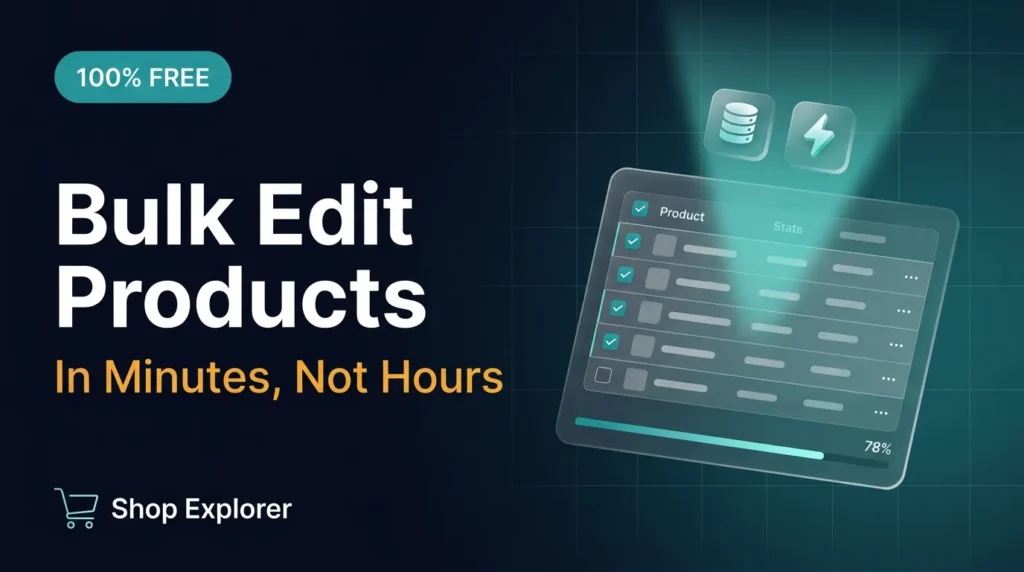
Shop Explorer runs as a clean single-page application inside the WordPress admin, combining bulk product editing, order processing, PDF invoicing, customer management, and AI analytics into one dashboard. You can filter products by category, price range, stock status, type, tag, or brand, select thousands of items at once, and apply instant changes to prices, inventory, visibility, and taxonomies.
What separates it as a woocommerce bulk edit plugin free option is the safety infrastructure: configurable batch processing with a default of 5,000 items per run, a real-time progress bar, pre-write error validation, and an instant cancel control. It also includes free connections to Google Gemini, OpenAI, and Anthropic Claude for generating product content or analyzing revenue using your own API key. Learn more about the underlying WooCommerce product data structure to understand why batching matters so much for larger catalogs.
2. BrikPanel
BrikPanel is a free admin dashboard offering bulk editing alongside store analytics, abandoned cart recovery, and native Google Sheets sync. It handles general product edits well but lacks integrated AI content generation or AI revenue insights in the free tier.
3. Smart Manager for WooCommerce
Smart Manager uses a familiar Excel-style spreadsheet grid inside WordPress. It is mature and supports multiple post types, but core features like CSV export, advanced filters, and batch threshold safety sit behind a paid license.
4. WP Sheet Editor
WP Sheet Editor offers a pure grid interface ideal for quick inline text tweaks on a small catalog. Variation editing and complex custom field updates require its paid add-ons, which limits its usefulness as a truly free woocommerce bulk edit plugin for variable-heavy stores.
5. Bulky
Bulky is a straightforward field editor for basic price and stock changes. It handles simple adjustments smoothly but has no analytics dashboard, CRM, or invoicing, so most stores still need additional tools alongside it.

Step by Step: How to Bulk Edit WooCommerce Prices Safely
- Access the editor: Open your WordPress dashboard, click Shop Explorer, then select the Products tab.
- Filter your products: Narrow the catalog by category, price band, or stock status using the top filter bar.
- Select target items: Use the master checkbox to select all filtered products across every page.
- Choose your bulk action: Click Bulk Edit, pick Sale Price, set the action to Decrease by Percentage, and enter 15.
- Set your batch threshold: Confirm the safety threshold under Settings so your host processes changes in manageable chunks.
- Execute and monitor: Click Apply Changes and watch the live progress bar as products save safely to the database.
Pro Tips for Getting the Most Out of a Free Bulk Editor
- Always run a full database backup before any bulk operation touching more than a few hundred products.
- Test your batch size on a staging site first if you are on shared hosting with tight memory limits.
- Use filters aggressively. Editing 200 targeted items is safer and faster than editing your entire 5,000 item catalog at once.
- Export a CSV snapshot before major price changes so you have an easy rollback reference. See WooCommerce developer resources for more on data structure and REST access.
Frequently Asked Questions
Can I bulk edit WooCommerce product variations for free?
Yes. Tools like Shop Explorer let you update pricing, stock quantities, and attributes for product variations in the free version, with no paid upgrade required.
Will bulk editing thousands of products crash my WordPress site?
If you run an un-batched update on 10,000 items in one query, your server will likely hit a PHP memory limit or gateway timeout. A tool with batch processing and safety thresholds commits changes in small, safe chunks instead.
Does a bulk edit plugin slow down my storefront?
No, if it is built correctly. Shop Explorer, for example, runs entirely inside wp-admin as a React application and places zero script footprint on your public storefront.
Do I need coding knowledge to use a bulk product editor?
Not at all. Modern bulk editors use dropdown menus, checkboxes, and numeric inputs, making complex catalog edits as simple as filling out a web form.
Conclusion
Choosing the right woocommerce bulk edit plugin free of gated limits comes down to matching the tool to your catalog size and workflow. Shop Explorer stands out for stores that want unlimited variation editing, batch safety, and built-in AI tools without a subscription, while BrikPanel, Bulky, Smart Manager, and WP Sheet Editor each fit narrower use cases. Whichever you choose, always back up your database, filter before you edit, and rely on batch processing once your catalog crosses a few hundred products. Install Shop Explorer free from WordPress.org to start bulk editing safely today.
WooCommerce AI Product Management: Complete Setup Guide: link









Leave a Comment
Your email address will not be published. Required fields are marked *