

Table of Contents
A store owner named Sarah once messaged us in a panic. A corporate client had just placed a $4,000 wholesale order and needed a formal, tax-compliant PDF invoice with her logo and tax ID – before their accounting team would release payment. Sarah went looking for a woocommerce pdf invoice plugin free of monthly fees, and instead found her options locked behind $79/year subscriptions for basic things like logo uploads and customer downloads. This guide shows you how to skip that entirely using the built-in mPDF invoice engine inside Shop Explorer.
Why WooCommerce Store Owners Need a PDF Invoice Plugin
WooCommerce doesn’t ship with a PDF invoice generator out of the box — order confirmations are plain-text emails, not formal documents. That’s fine for a casual buyer, but it breaks down fast once your store starts serving B2B clients or operates somewhere with strict tax-invoice requirements. Sarah’s story is common: most owners don’t realize they need real invoicing until a corporate buyer or a tax authority asks for one.
- Legal and tax compliance — many tax authorities require sequential invoice numbers, a business tax ID, and itemized tax breakdowns.
- B2B purchasing requirements — accounts payable departments generally won’t accept a plain order confirmation email as documentation.
- Fewer support tickets — letting customers pull their own invoices from My Account removes a steady stream of “can you resend my receipt” emails.
- Brand trust — a well-designed invoice with your logo and colors reinforces credibility long after checkout.
What a Free WooCommerce PDF Invoice Plugin Should Include
Rather than installing a separate invoicing plugin on top of your store manager, Shop Explorer bundles a full mPDF-powered invoice engine directly into its dashboard. Here’s what’s included at no cost:
6 Designer Templates
Minimal, Modern, Classic, Corporate, Premium, and Elegant — each built for a different aesthetic, from clean SaaS-style invoices to gold-accented luxury layouts.
Full Brand Customization
Upload your logo, set a tagline, add your business address and tax ID, and pick custom primary and accent colors per template — no premium tier required.
Automated Status Triggers
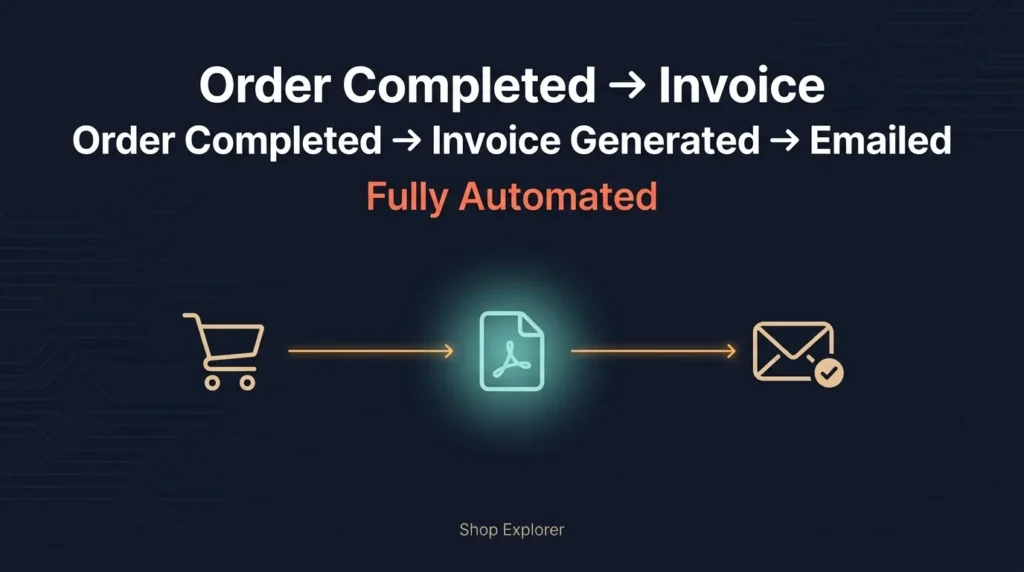
Invoices generate and attach themselves to WooCommerce transactional emails automatically when an order hits statuses like Processing or Completed — no manual PDF creation.
Flexible Column and Section Toggles
Show or hide SKUs, product thumbnails, line-item attributes, tax breakdowns, discount rows, shipping charges, and customer notes to match what your buyers expect.
Customer Self-Service Downloads
Customers get a one-click Download PDF Invoice button right on their WooCommerce My Account order history — no support ticket required.
High-Speed PDF Caching
Generated invoices are cached in your WordPress uploads directory, so repeat downloads are instant instead of re-compiling the PDF every click.
| Template | Aesthetic | Best For |
|---|---|---|
| Minimal | Clean white, high-contrast tables | SaaS, digital products |
| Modern | Gradient headers, rounded cards | Fashion, lifestyle |
| Classic | Traditional structured borders | Legal, medical, retail |
| Corporate | Multi-column executive layout | B2B wholesale, industrial |
| Premium | Gold accents, serif headers | Luxury goods, jewelry |
| Elegant | Minimalist, generous spacing | Art prints, boutiques |
How to Set Up Free Branded PDF Invoices (Step by Step)
- Open Invoice Settings — In wp-admin, go to Shop Explorer → Settings → Invoices.
- Configure your branding — Under Company, upload your logo, enter your business name, tagline, address, and Tax ID (VAT/EIN).
- Pick and customize a template — Choose from the 6 designs and set primary/accent colors to match your brand.
- Set column and section visibility — Toggle thumbnails, SKUs, tax breakdowns, and add legal footer text like payment terms.
- Turn on auto-generation — Select which order statuses trigger invoice creation and enable email attachment.
The whole setup takes under five minutes, and every invoice from that point forward is generated automatically — no manual exporting.

Free vs. Paid Invoicing Plugins: What You’re Actually Paying For
Most dedicated invoicing plugins for WooCommerce charge annual fees to unlock logo uploads, template customization, or customer self-service downloads — the exact features store owners assume are standard. According to WooCommerce’s own order management documentation, order confirmation emails are not formatted as tax documents by default, which is precisely the gap third-party invoicing add-ons exist to fill — often at a recurring cost. A woocommerce pdf invoice plugin free alternative built into your store manager removes that subscription entirely.
If you’re also running a busy front-of-store, pairing your invoicing setup with Product Display keeps your storefront fast while Shop Explorer handles everything behind the scenes — bulk edits, orders, and now invoicing, all in one dashboard.
Frequently Asked Questions
Is the mPDF invoice generator in Shop Explorer completely free?
Yes. All 6 templates, custom colors, tax ID fields, and email attachments are included free — nothing is gated behind a premium tier.
Where are generated invoices stored?
Inside a protected directory within your WordPress wp-content/uploads folder. They’re cached and only regenerated if order details or template settings change.
Can customers download invoices from My Account?
Yes — once enabled, a Download PDF Invoice button appears next to each order in the customer’s account area.
Can I generate packing slips too?
Yes, the same mPDF engine supports both formal invoices and streamlined packing slips for fulfillment. See the full setup walkthrough in the WPAzleen documentation.
Conclusion
You don’t need a $79/year invoicing add-on to send professional, tax-compliant PDF invoices. A woocommerce pdf invoice plugin free of subscription fees — with 6 templates, full branding, and automatic generation — is already built into Shop Explorer. Install Shop Explorer free from WordPress.org and set up your first branded invoice in under five minutes.







Leave a Comment
Your email address will not be published. Required fields are marked *