
WordPress File Upload Security: 5 Powerful Ways Activity Guard Protects Your Site
Table of Contents
WordPress file upload security is one of the most overlooked risks on any WordPress site. Every time a user uploads a file to your site, there is a potential threat hiding behind the scenes – malicious scripts, disguised malware, and unsafe file types can compromise your entire site if left unchecked. Understanding how to control file uploads is essential for every site owner.
The Activity Guard WordPress Plugin, formerly known as WP Notifier to Slack PRO, gives you complete control over which file types are allowed and instantly alerts you to any suspicious uploads. This article explains MIME types, how WordPress handles them, and how Activity Guard helps you strengthen WordPress file upload security on your site.

Activity Guard helps WordPress admins monitor and strengthen file upload security across their entire site.
What Are MIME Types in WordPress?
MIME stands for Multipurpose Internet Mail Extensions. Browsers and servers use MIME types to identify file formats – so a .png is treated as an image and a .mp4 as a video. Understanding MIME types is the foundation of good WordPress file upload security.
WordPress stores recognized MIME types in its core files and exposes them via the function wp_get_allowed_mime_types(). However, not all recognized types are allowed to be uploaded through the dashboard because some pose higher security risks. You can also check the official WordPress MIME types documentation for a full reference list.
Allowed WordPress MIME Types
WordPress permits many safe file formats by default. Examples include:
- Images: .jpg, .jpeg, .png, .gif, .ico
- Documents: .pdf, .doc, .docx
- Presentations: .ppt, .pptx
- Spreadsheets: .xls, .xlsx
- Audio/Video: .mp3, .mp4, .mov
These file types upload without triggering the message: “Sorry, this file type is not permitted for security reasons.” Keeping your allowed list tight is the first step toward strong WordPress file upload security.
Not Allowed MIME Types in WordPress
WordPress recognizes but blocks uploads for many formats that can carry executable or dangerous content, for example: .exe, .rar, .swf, .js, .bmp, and others. Attempting to upload these will produce the security error mentioned above.
When your workflow requires additional file formats, you should only enable them after carefully evaluating the security implications. For a deeper look at the risks of unrestricted file uploads, the OWASP File Upload Security Guidelines are an excellent reference. Activity Guard gives you that control safely, without opening unnecessary vulnerabilities.

Enhancing WordPress File Upload Security with Activity Guard
The Activity Guard plugin allows site administrators to define and enforce a strict set of allowed MIME types, monitor uploads, and block suspicious files in real time. It is one of the most effective tools available for managing WordPress file upload security without needing developer access. See how it scan WordPress site with built-in security scanner.
Configuration Steps
- Open the configuration page: Go to Configuration > Advanced Site Security in your WordPress dashboard.
- Define allowed file types: Choose trusted MIME types such as
image/jpeg,application/pdf,application/zip, andvideo/mp4. - Activate upload tracking for malicious code: Turn on the setting Track File Uploads for Malicious Code. This scans uploads and blocks disallowed files automatically.
- Add new MIME types if needed: Use the configuration UI to securely add any project-specific MIME types you require.
What the Plugin Does for You
- Monitors all file uploads and flags suspicious activity.
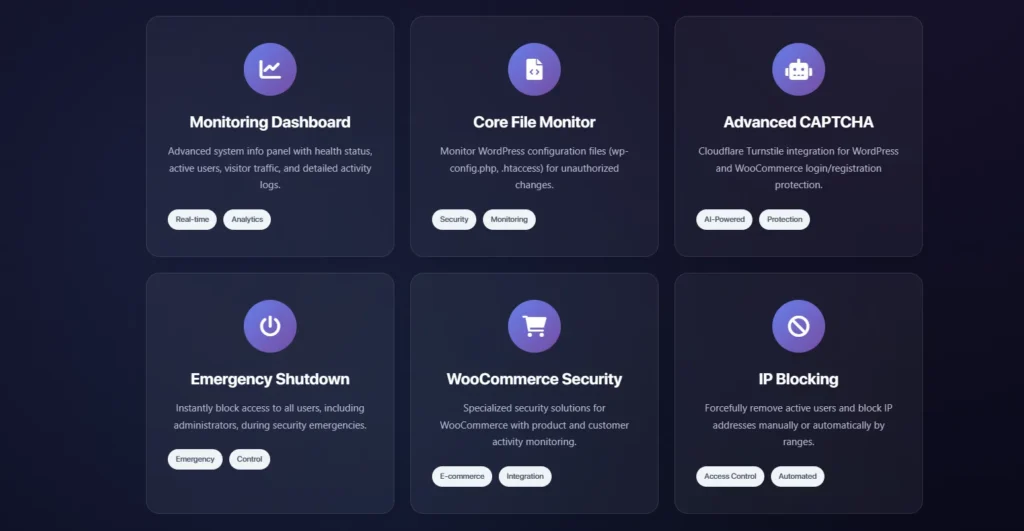
- Sends real-time alerts via Slack and email when an unsafe upload is detected.
- Blocks unapproved MIME types before they touch your filesystem.
- Keeps a detailed upload activity log for auditing and troubleshooting.
Robust WordPress File Upload Security You Can Count On
Restricting file uploads and scanning each file dramatically reduces the chance of a successful attack. Activity Guard adds an extra layer of WordPress file upload security that complements server-level protections and web application firewalls.
- Proactive upload monitoring to detect harmful files before they cause damage.
- Instant Slack and email notifications when suspicious files are detected.
- Custom MIME rules so you control exactly what users can upload.
Why Upgrade to Activity Guard (Formerly WP Notifier to Slack PRO)
Upgrading gives you access to advanced features that go far beyond basic WordPress file upload security:
- Real-time alerts for uploads and other system activity
- Advanced file scanning and automatic blocking
- Detailed upload history and reporting
- WooCommerce file monitoring for stores that accept customer uploads
This is the modern, secure evolution of WP Notifier to Slack PRO, rebuilt with current WordPress standards in mind.
Conclusion
WordPress file upload security should never be an afterthought. Using Activity Guard from wpazleen allows you to set strong MIME type restrictions, scan uploads for vulnerabilities, and protect your WordPress environment effectively. Controlling which files reach your server is one of the most important steps you can take to protect your site and your users from harm.
Install Activity Guard today and take full control over WordPress file upload security on your site.










Leave a Comment
Your email address will not be published. Required fields are marked *