
Table of Contents
Every WordPress site owner using a chatbot has hit the same wall: a visitor asks something just outside your content, the bot gives a useless non-answer, and the visitor leaves frustrated. This is the knowledge gap problem – and it’s been the silent weakness of RAG-based chat systems until now. AI chatbot web search WordPress in AskAny 1.11.0 closes that gap permanently, without external APIs, without extra costs, and without any complicated setup.
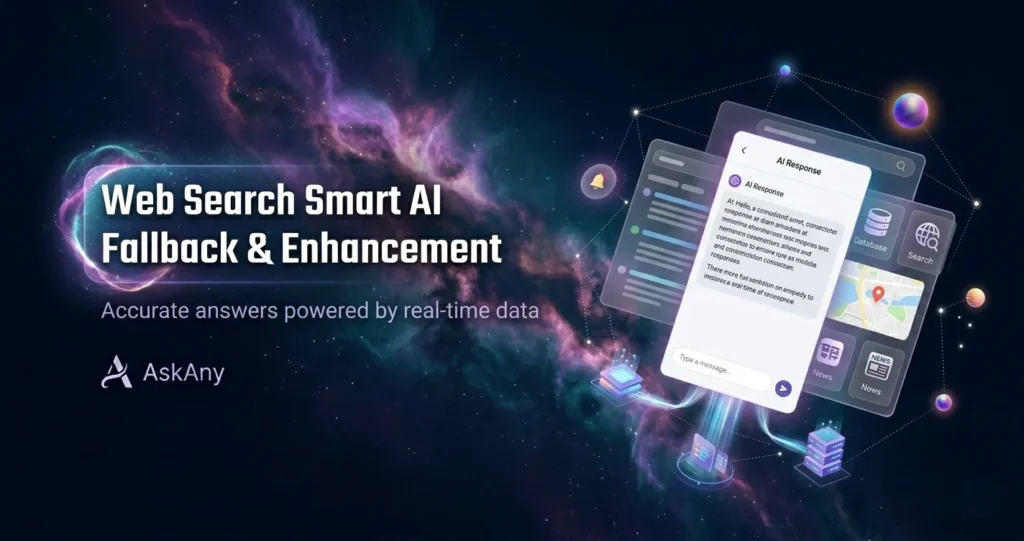
In this post, you’ll learn exactly how the Web Search system works inside AskAny, what separates the two available modes, and which one to choose for your site type.
The Problem: RAG Chatbots Have a Hard Knowledge Ceiling
AskAny runs on RAG – Retrieval-Augmented Generation. This architecture indexes your site content (pages, posts, products, PDFs) and uses it as the AI’s primary knowledge source. It’s the right approach for accuracy and site-specificity. But it creates one hard constraint: the chatbot can only answer from what you’ve indexed.
Visitors don’t limit their questions to your indexed content. They ask general follow-ups, industry questions, conceptual explanations, and comparative questions you’ve never addressed. Without a fallback system, even the best RAG chatbot will either decline to answer (losing trust) or hallucinate a confident wrong answer (losing credibility). The new AI chatbot web search for WordPress in AskAny gives the AI a safe, cost-free supplement – its own built-in knowledge – to fill those gaps intelligently.
What Is AskAny AI chatbot web search WordPress – And Why It’s Different
This is not a Google or Bing integration. AskAny’s Web Search system doesn’t make calls to external search engines or third-party APIs. Instead, it unlocks the language model’s own parametric knowledge – the broad world understanding embedded in the AI during training – as a supplemental layer on top of your indexed site content.
This architecture has three major advantages over traditional search API integrations:
- Zero cost: No API key, no usage billing, no rate limits
- Zero latency overhead: No external HTTP call – the model’s knowledge is already in memory
- Zero dependency risk: No third-party service to go down or change its pricing
The Two AI Chatbot Web Search Modes for WordPress
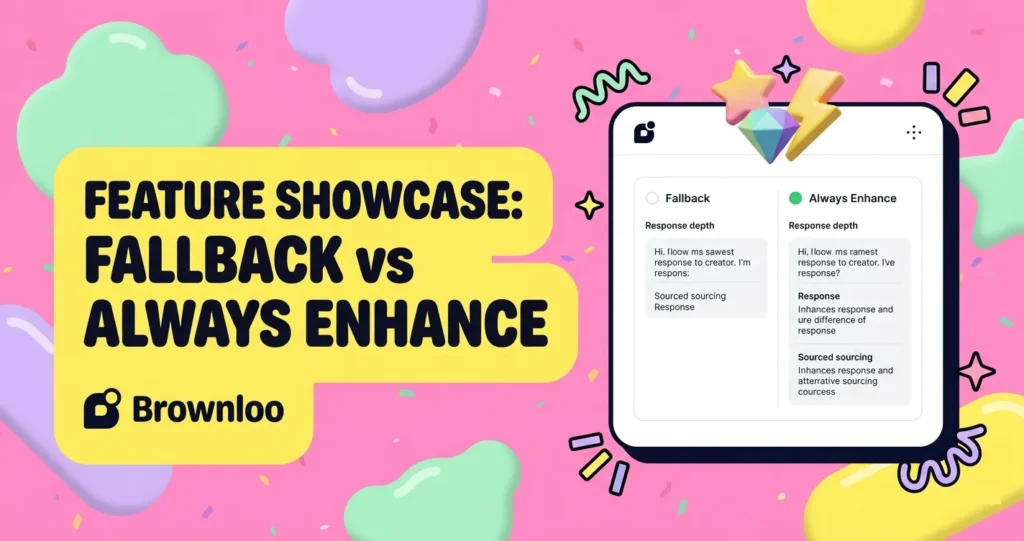
Fallback Mode – Recommended for Most Sites
Fallback mode keeps your site content as the unambiguous authority. The AI searches your indexed content first. If RAG and keyword search return sufficient results, the response is grounded entirely in your content – with citations – just as it always was. The AI’s built-in knowledge only activates when site content falls short.
This preserves everything that makes RAG-based chat valuable: accuracy, site-specificity, and traceability. The fallback layer simply catches the cases that would otherwise dead-end.
Best for: E-commerce stores, service businesses, SaaS products, membership sites, professional services.
Always Enhance Mode – For Richer, Deeper Responses
Always Enhance combines your site content with the AI’s broader knowledge on every response – not just when content is insufficient. Even when your documentation fully covers a topic, the AI enriches the answer with broader context, examples, related concepts, and explanations drawn from its training.
The result is consistently richer, more educational responses. Visitors who are trying to learn – not just get a quick answer – will find this mode significantly more satisfying.
Best for: Educational platforms, technical documentation portals, knowledge bases, developer tools, content-heavy blogs.
How AI chatbot Web Search WordPress Fits Into AskAny’s Response Priority Chain
AskAny processes every visitor message through a defined priority chain. Understanding where Web Search sits in that chain helps you configure it with confidence. Here’s the full order:
- Custom Q&A Pairs – your manually defined answers, always highest priority
- WooCommerce order and product query handling
- RAG Semantic Search via your indexed embeddings
- Hybrid Search (Pro) – semantic + keyword combined
- Keyword Search – LIKE queries on your content index
- Web Search / AI Knowledge Layer ← New in 1.11.0
- Pattern matching fallback if all API calls fail
Your custom Q&A pairs and indexed content always win. Web Search enriches and fills gaps – it never overrides your defined answers.
Real-World Use Cases for AI Chatbot Web Search in WordPress
WooCommerce Store: Beyond Product Specs
Your store sells outdoor gear. A visitor asks about a specific jacket you carry – answered from your product content. Then they ask: “What base layer works best under this for winter hiking?” You don’t sell base layers and haven’t written about them. In Fallback mode, the AI chatbot web search for WordPress handles the question with solid general advice, keeping the visitor engaged rather than sending them to Google.
SaaS Documentation: General + Specific in One Answer
A developer asks how your webhook format compares to REST API conventions in general. Your docs cover your specific implementation but not REST fundamentals. With Always Enhance, AskAny combines your specific webhook documentation with foundational REST context – giving the developer a complete answer without you writing a REST API primer.
Service Business: General Questions, Professional Answers
A consultancy’s chatbot handles intake questions. Their content covers services and processes. A visitor asks a general question about industry practice. Fallback mode answers from the AI’s knowledge while still routing specific engagement questions through the firm’s defined responses – giving visitors value without compromising the structured intake flow.
Want to understand the full AI pipeline behind AskAny? Read our deep-dive on RAG Architecture for WordPress AI chatbots.
How to Enable Web Search in AskAny (Quick Setup)
Setup takes under 60 seconds. Go to WordPress Admin → AskAny → Settings → AI Configuration → Web Search. Enable the toggle, select your mode (Fallback recommended), and click Save Settings. No API keys. No external accounts. Done.
For a detailed step-by-step guide with screenshots, see the official AskAny documentation.
Frequently Asked Questions
Does this use Google, Bing, or any paid search API?
No. The AI chatbot web search for WordPress in AskAny uses the AI model’s own built-in knowledge. No external search APIs are called. There’s no additional cost attached to enabling this feature.
Will AI knowledge override my custom Q&A pairs?
Never. Custom Q&A pairs sit at the top of AskAny’s response priority chain and are always checked first. The Web Search layer only activates below that – filling gaps rather than replacing your defined answers.
Which mode should I start with?
Fallback. It’s the safest choice for most sites – your content stays authoritative and the AI only supplements when needed. Move to Always Enhance only if your site is heavily educational and richer answers are consistently valuable to your visitors.
Conclusion: Fill Every Knowledge Gap Without Spending a Cent
The AI chatbot web search for WordPress in AskAny 1.11.0 is deceptively powerful for how simple it is to enable. No APIs. No cost. No maintenance. Two clean modes that let you choose exactly how aggressively the AI supplements your content. Every question that previously dead-ended now gets a useful, on-brand answer. Update to AskAny 1.11.0 from your WordPress dashboard today, or explore Pro plans at wpazleen.com.









Leave a Comment
Your email address will not be published. Required fields are marked *