Table of Contents
Table of Contents #
🎯 Introduction #
Design matters. The look and feel of your forms can dramatically affect user experience.
That’s why Simple Form by wpazleen lets you easily choose form theme in Simple Form or create your own with full customization.
🧩 Step 1: Access Theme Settings #
- Go to Simple Form → Settings → Theme Tab.
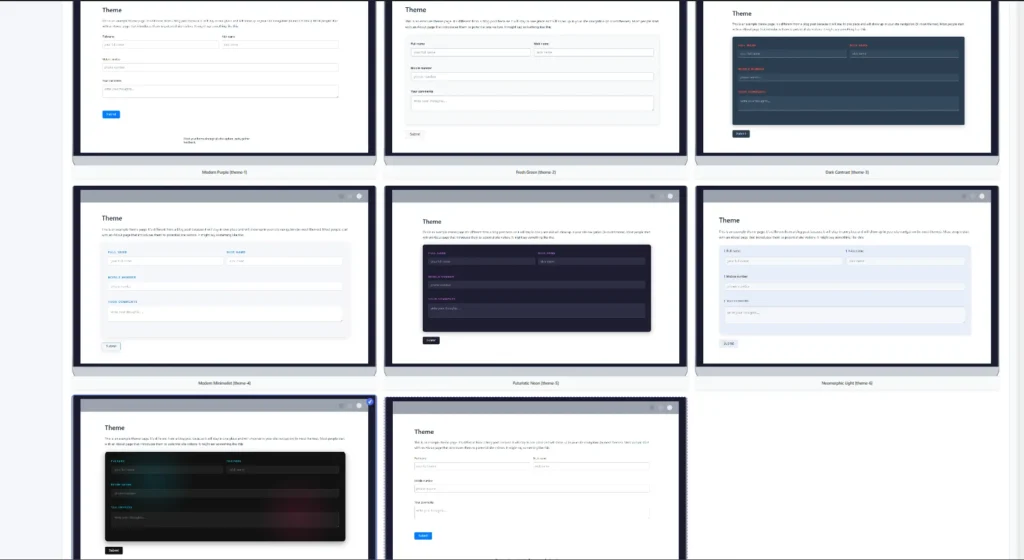
- You’ll see all 7 pre-designed form themes available.
🎨 Step 2: Choose a Built-in Theme #
Available presets include:
- Modern Purple
[theme-1] - Fresh Green
[theme-2] - Dark Contrast
[theme-3] - Modern Minimalist
[theme-4] - Futuristic Neon
[theme-5] - Neomorphic Light
[theme-6] - Glassmorphism Dark
[theme-7]
Use in shortcode:
[simple_form id="1" theme="theme-3"]
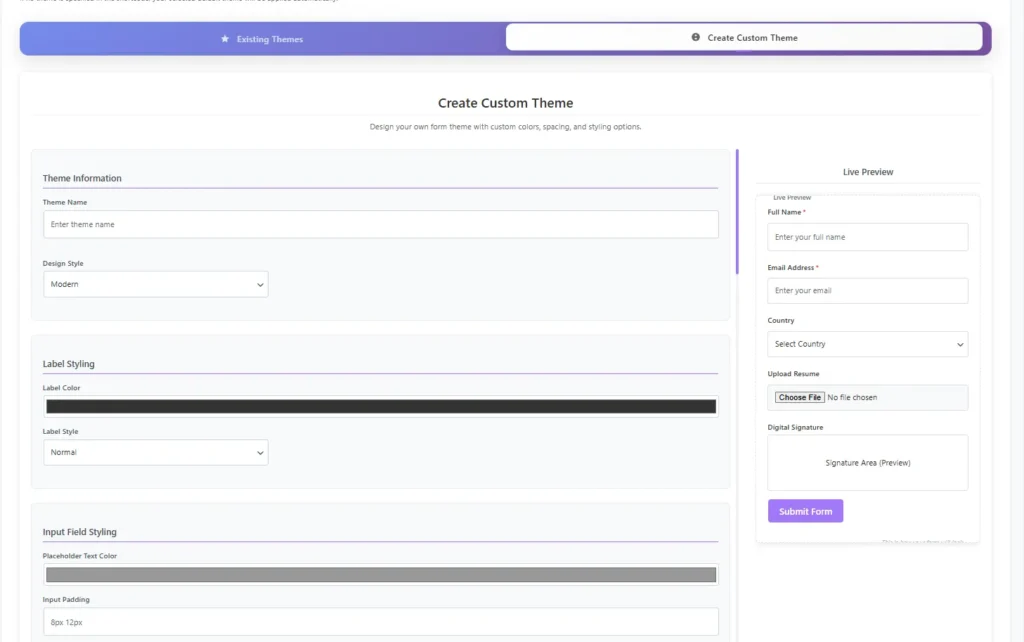
🧱 Step 3: Create Custom Theme #
Click “Create Custom Theme” to build your own:
- Set Theme Name
- Choose Design Style
- Customize colors, spacing, and typography
- Use Live Preview to see changes in real time
Save your theme to apply it globally or use it per shortcode.
💡 Pro Tip #
Consistent theme design helps maintain brand identity.
✅ Summary #
Choosing a form theme in Simple Form helps you create visually consistent, user-friendly forms that match your website design no coding required.










Leave a Comment
Your email address will not be published. Required fields are marked *