
Table of Contents
What if your WordPress AI chat plugin could answer questions it has never been trained on – without any external API costs? What if your chat assistant could sound like a real human, respond instantly on mobile, and adapt its tone based on your brand voice? That’s exactly what AskAny 1.11.0, released today on 27 March 2026, brings to the table. This isn’t a minor patch update. It’s a leap forward in how WordPress site owners deliver AI-powered customer support.
In this post, we’ll walk through every new feature in AskAny version 1.11.0 – Web Search, Response Tone Control, Typing Animation Speed, Mobile App Push Bridge, and frontend improvements – explaining what they do, why they matter, and how to set them up.
What Is AskAny?
AskAny is a WordPress AI chat plugin built on RAG (Retrieval-Augmented Generation) architecture. It connects your site’s own content – pages, posts, WooCommerce products, PDFs, and documentation – to powerful AI models like OpenAI and DeepSeek. This means your chat assistant doesn’t just give generic AI answers; it gives your answers, drawn from your content, with real citations.
Beyond AI responses, AskAny also supports live human agent handover via SSE (Server-Sent Events), making it a true hybrid support solution. It’s available free on the WordPress plugin repository, with Pro plans available at wpazleen.com/askany-pricing.
“AskAny reduced our support tickets by 75% and increased customer satisfaction. The AI is incredibly smart and the WooCommerce integration is seamless.”
What’s New in AskAny 1.11.0 – 5 Powerful Features for Your WordPress AI Chat Plugin
Version 1.11.0 introduces five significant upgrades. Let’s break down each one in detail.
1. Web Search – Smart AI Fallback & Enhancement
One of the biggest limitations of RAG-based chatbots is that they can only answer questions based on the content you’ve indexed. If a visitor asks something outside your site’s knowledge base, the AI either gives a vague response or admits it doesn’t know. That gap is now closed.
AskAny 1.11.0 introduces a built-in Web Search system that allows the AI to tap into its own internal knowledge base – no third-party search API required, no extra cost. You choose how it behaves via two configurable modes:
- Fallback Mode (Recommended): The AI always tries your site content first. If it can’t find a sufficient answer there, it automatically supplements the response using its built-in AI knowledge. This is the safest, most accurate mode for most businesses.
- Always Enhance Mode: Every single response combines your site content with the AI’s general knowledge. The result is richer, more detailed answers – ideal for informational sites and documentation portals.
This makes AskAny’s WordPress AI chat plugin far more capable of handling diverse visitor questions – from product specs to general how-to questions – without breaking the conversational flow or sending users elsewhere to search.
2. Response Tone Control – Make AI Sound Like Your Brand
AI-generated text has a recognizable pattern. Phrases like “Certainly!”, “Of course!”, and “Absolutely!” are a dead giveaway that a bot – not a human – is typing. For many businesses, that’s a trust killer. Response Tone Control solves this directly.
Version 1.11.0 gives you four distinct tone settings for your chat responses:
- Human: Strips out AI-like filler phrases and patterns. Responses read like they came from a knowledgeable team member, not a robot.
- Professional: Formal, structured, and precise – perfect for legal, financial, medical, or B2B service websites.
- Friendly: Warm, conversational, and approachable – ideal for e-commerce stores, lifestyle brands, and community-focused sites.
- Robotic: Neutral and system-style – useful for technical support portals, developer tools, or API documentation sites where precision matters more than warmth.
One simple dropdown setting completely changes how your WordPress AI chat plugin communicates with visitors. This is the kind of brand consistency feature that used to require expensive custom AI fine-tuning – now it’s built in.
3. Typing Animation Speed Control – Better UX, Your Way
The typing animation in chat – where you watch characters appear one by one – is a subtle but powerful UX element. Done right, it feels engaging and human. Done wrong, it makes users wait unnecessarily. AskAny 1.11.0 puts you in full control with four speed settings:
- Regular: The default balanced speed – gives responses a natural, conversational feel.
- Fast: Noticeably quicker – good for power users who don’t want to wait.
- Faster: Very quick display – suitable for support-heavy sites with high chat volume.
- Instant: Responses appear immediately with a subtle entrance animation – best for sites where speed is the priority and the “typing” feel isn’t needed.
This is a small feature but it significantly affects how users perceive your support system. Faster delivery = faster resolution = happier visitors.
4. Mobile App Push Bridge – Manage Chats From Your Phone
This is the headline feature of 1.11.0. Until now, responding to live chat conversations from AskAny required you to be logged into your WordPress dashboard. That’s not realistic for most site owners, especially those running small businesses solo or with a lean team.
The Mobile App Push Bridge changes everything. By connecting AskAny to Firebase Cloud Messaging (FCM), your Android device becomes a fully functional chat management tool – with real-time push notifications every time a user sends a message.
Here’s how it works:
- Enable the Mobile App Push Bridge toggle in AskAny settings and save.
- Active Default Firebase FCM Server Key (or configure full Firebase credentials – see below).
- Create Firebase Cloud Messaging API V1 (recommended). Get credentials from Firebase Console → Project Settings → Service Accounts → Generate new private key.
- Download the AskAny Android app from gdrive/download.
- Log in using your WordPress site URL and an Application Password (generated in WordPress Admin → Users → Your Profile → Application Passwords).
- That’s it – you’ll now receive instant push notifications and can reply to chats directly from your phone, without touching the WordPress admin panel.
For businesses that use their own Firebase project, AskAny 1.11.0 also supports the Firebase Cloud Messaging API V1 with full custom credentials. You can input your Project ID, Client Email, Sender ID, and Private Key directly from your Firebase Service Account JSON. There’s even a built-in FCM connection test and a “Send Test Push Notification” feature so you can verify everything is working before going live.
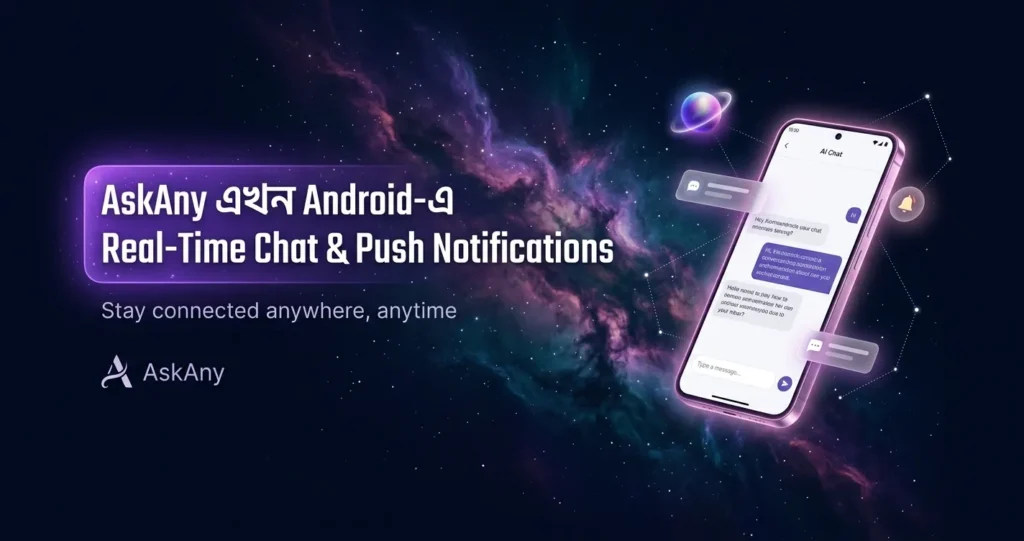
This feature is a genuine game-changer for solo operators and small teams. Your WordPress AI chat plugin now follows you wherever you go.
5. Performance Enhancements & Frontend Chat UI Improvements
Behind the scenes, the 1.11.0 release includes a round of performance work and visual polish to the frontend chat panel. Load times are faster, the interface feels cleaner, and the overall chat experience is more polished – especially on mobile screens.
These under-the-hood improvements compound the impact of the bigger features. A faster, smoother chat interface means visitors stay engaged longer, and agents (human or AI) can manage conversations more efficiently.
How to Set Up the Mobile Push Bridge – Step-by-Step Guide
The Mobile App Push Bridge is the most involved setup in this release. Here’s a complete walkthrough for site admins who want to get push notifications running quickly.
Step 1: Enable the Push Bridge in AskAny Settings
Go to your WordPress admin panel → AskAny → Settings → Mobile App Push Bridge. Toggle the feature on and click Save Settings.
Step 2: Configure Firebase FCM
You have two options here:
- Use Default Credentials: Enter your FCM Server Key and leave the custom credentials box unchecked. This is the quickest option.
- Use Custom Firebase Credentials (Recommended for production): Check the “Use Custom Firebase Credentials” box and fill in:
– Project ID: Found in your Service Account JSON as “project_id” (also visible in Firebase Console → Project Settings → General)
– Client Email: Found as “client_email” in the JSON – usually looks like firebase-adminsdk-xxxxx@project-id.iam.gserviceaccount.com
– Sender ID: Found in Firebase Console → Project Settings → Cloud Messaging
– Private Key: The full “private_key” value from the JSON – paste as-is, AskAny automatically converts \n characters
Step 3: Download the AskAny Android App
Head to askany.app/download on your Android device and install the APK. Once installed, open the app and log in using your WordPress site URL and an Application Password. To generate an Application Password, go to WordPress Admin → Users → Your Profile → scroll to Application Passwords → create a new one.
Step 4: Test Your Push Notification Setup
Back in the AskAny settings panel, use the Test FCM Connection button to verify your Firebase credentials are correct. Then use the Send Test Push Notification feature – enter the Device FCM Token from your AskAny mobile app (found under Settings → Device Token) – and hit send. If you receive the notification on your phone, you’re all set.
Why AskAny Stands Out as a WordPress AI Chat Plugin in 2026
The WordPress chat plugin market is crowded. But most chat plugins fall into one of two camps: simple chatbots with rigid scripts, or overpriced AI integrations that rely entirely on external APIs and charge per message. AskAny sits in a different category entirely.
Here’s what genuinely differentiates it:
- RAG Architecture: Your AI chat assistant answers from your site content – not just generic internet knowledge. This means accurate, cited answers that are specific to your business.
- Dual AI Models: Works with both OpenAI (GPT-4) and DeepSeek, giving you model flexibility without switching plugins.
- Live Agent Handover via SSE: When AI isn’t enough, conversations transfer seamlessly to a human agent – with full context intact and real-time updates via Server-Sent Events.
- WooCommerce Native Integration: Product search, cart management, order tracking, and recommendations – all handled inside the chat window.
- PDF Intelligence: Upload manuals and documentation – AskAny indexes and answers questions from them instantly.
- Mobile-First in 1.11.0: The new Push Bridge means admins are always reachable – no app switching, no desktop dependency.
Learn more about how RAG Architecture works in WordPress AI chatbots to understand why content-grounded AI answers outperform generic chatbots every time.
Real-World Use Cases for AskAny 1.11.0
WooCommerce Store Owners
Enable Fallback Web Search so your AI can answer product comparison questions and general buying advice – even when those topics aren’t explicitly covered in your product descriptions. Set tone to Friendly for warm, conversion-focused interactions. Enable Push Bridge so you’re notified the moment a customer needs a human touch on a big purchase decision.
SaaS & Software Companies
Use Always Enhance mode so your documentation chatbot also covers general technical concepts. Set tone to Professional or Robotic for a precise, developer-friendly experience. Use Push Bridge to route complex support escalations straight to your phone without needing to monitor the dashboard 24/7.
Agencies Managing Multiple Client Sites
Per-site tone control means each client’s chat assistant has its own voice – one set to Friendly for a lifestyle brand, another set to Professional for a law firm, all running on the same WordPress AI chat plugin infrastructure. The mobile push bridge means account managers can monitor client chat activity without being desk-bound.
Small Business & Solo Operators
This is where the 1.11.0 update delivers the most obvious value. A solo site owner running a shop or consultancy can now receive live chat notifications on their Android phone, reply immediately, and let the AI handle everything else autonomously – all without paying for a dedicated support team or a Zendesk subscription.
See all 7 powerful features of the best WordPress AI chatbot plugin that set AskAny apart from standard chat solutions.
Frequently Asked Questions About AskAny 1.11.0
Does the Web Search feature cost extra or use external APIs?
No. The Web Search system in AskAny 1.11.0 uses the AI model’s built-in knowledge – it does not make external API calls or connect to a third-party search engine. There are no additional costs associated with enabling this feature. It simply allows the WordPress AI chat plugin to supplement site-specific answers with broader AI knowledge when needed.
Is the Mobile App Push Bridge available on iOS?
The 1.11.0 release introduces the Push Bridge for Android only. The AskAny Android APK is available for download at askany.app/download. iOS support has not been confirmed for this release but may follow in a future update.
Do I need a Firebase account to use push notifications?
You need a Firebase FCM Server Key at minimum. AskAny supports both basic FCM key setup and full custom Firebase credential configuration using the API V1 standard. If you’re setting this up for the first time, the AskAny documentation walks you through generating Firebase credentials step by step.
Can I use AskAny’s WordPress AI chat plugin for free?
Yes. AskAny has a fully functional free version available on the WordPress plugin repository. Pro features – including advanced WooCommerce integration, priority support, and extended AI capabilities – are available via paid plans at wpazleen.com/askany-pricing. A 14-day money-back guarantee applies to all paid plans.
Which tone setting should I choose for my site?
For most general-purpose websites, the Human tone delivers the best first impression – it removes AI-pattern language and feels genuinely helpful. E-commerce and lifestyle brands tend to benefit from Friendly. Enterprises, law firms, and medical practices typically prefer Professional. Technical support portals and developer tools often suit Robotic – precise and no-frills.
Conclusion: AskAny 1.11.0 Is the Most Complete WordPress AI Chat Plugin Update Yet
Version 1.11.0 isn’t a routine maintenance release – it’s a meaningful expansion of what a WordPress AI chat plugin can do. Web Search fills the knowledge gap without extra cost. Tone Control aligns AI responses with your brand voice. Typing speed customization improves perceived performance. And the Mobile App Push Bridge finally untethers site admins from their desks, delivering live chat management directly to their phones via Firebase push notifications.
Whether you’re running a WooCommerce store, a SaaS product, a service business, or a content site – AskAny 1.11.0 has something meaningful for you. And with a free tier available on WordPress.org, there’s no reason not to try it today.
Ready to upgrade? Update AskAny to 1.11.0 from your WordPress plugin dashboard, or explore Pro plans at wpazleen.com/askany-pricing to unlock the full feature set.









Leave a Comment
Your email address will not be published. Required fields are marked *