
Table of Contents
“Certainly! I’d be happy to help you with that!” If you’ve used an AI chatbot – on any platform – you’ve read this sentence. Or a variation of it. It’s unmistakably robotic. It signals instantly that a bot is typing, not a person. And for many visitors, that kills trust before the actual answer lands. WordPress chatbot tone control in AskAny 1.11.0 puts you in direct control of how your AI communicates – so your chat assistant sounds like your business, not like a generic language model.
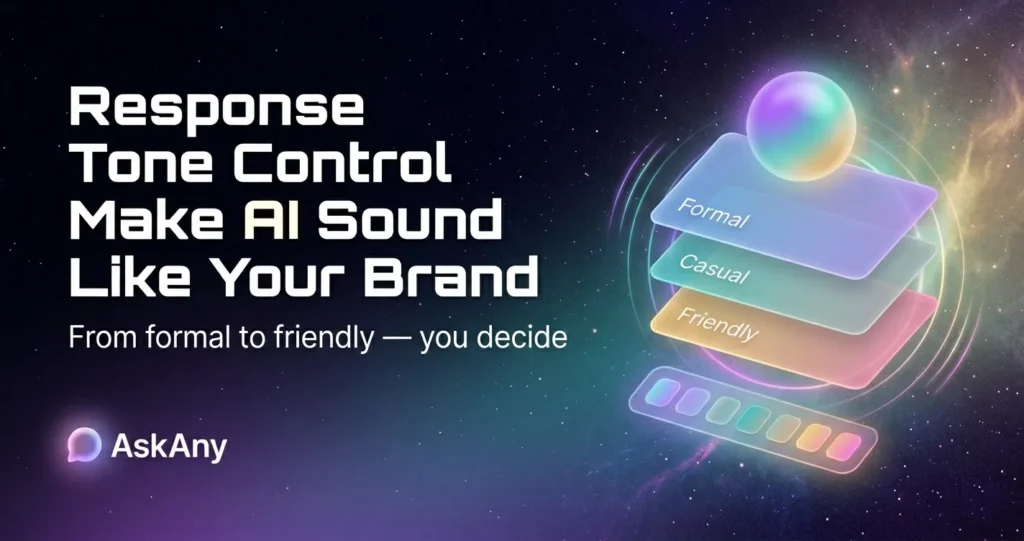
In this post, we’ll break down all four tone modes, show you exactly how each one changes the character of AI responses, and help you choose the right setting for your site.
Why AI Chat Tone Matters More Than You Think
Brand voice is one of the most carefully managed elements of a customer-facing business. Your website copy, email campaigns, social posts, and support scripts all reflect a deliberate communication style. When a chatbot lands on your site using a generic, corporate AI tone, it creates a jarring disconnect – especially for brands that have worked hard to build a distinctive personality.
The practical impact is measurable. Studies on conversational AI consistently show that tone alignment with brand identity improves user engagement, increases message completion rates, and positively influences satisfaction scores. The reverse is equally true: an overly formal tone on a casual lifestyle brand feels cold; an overly friendly tone on a legal or medical site erodes professional credibility.
WordPress chatbot tone control in AskAny 1.11.0 is a single settings dropdown that solves all of this. No prompt engineering. No fine-tuning. No custom model training.
The 4 WordPress Chatbot Tone Control Modes in AskAny
1. Human Tone – Remove the Robot
Human tone does one specific, valuable thing: it strips out AI-pattern language. The filler phrases (“Certainly!”, “Of course!”, “Absolutely!”), the over-polite openers (“I’d be happy to assist you with that”), the redundant affirmations – all gone. Responses are direct, natural, and written the way a knowledgeable colleague would write them.
This is arguably the most impactful setting for trust. Visitors engaging with a chat assistant that doesn’t pattern-match to “chatbot” are more likely to stay engaged, provide more context, and convert. Human tone doesn’t mean casual – it means genuinely conversational.
Best for: Most general-purpose WordPress sites. Any brand that has worked on human-centered communication. Businesses where trust is a primary conversion factor.
2. Professional Tone – Formal, Structured, Authoritative
Professional tone produces responses that are formal in structure, precise in language, and authoritative in delivery. Sentences are complete. Technical terms are used correctly. There’s no casual shorthand or conversational filler – just clear, structured communication that reflects organizational credibility.
This tone is essential for industries where formality is a trust signal, not a barrier. A law firm, an accounting practice, a medical clinic, or a B2B software company – these businesses can’t afford a chatbot that sounds casual. Professional tone keeps every AI response aligned with the standards their audiences expect.
Best for: Legal services, healthcare, financial services, B2B SaaS, enterprise software, consulting firms, and any brand where professional credibility is the core trust signal.
3. Friendly Tone – Warm, Approachable, Conversational
Friendly tone is warm, upbeat, and genuinely conversational. It’s the chatbot equivalent of a helpful store associate – approachable, encouraging, and easy to talk to. Responses use natural language, occasional light phrasing, and an energy that makes interactions feel pleasant rather than transactional.
This is the natural fit for consumer brands where the customer relationship is the core differentiator. E-commerce stores that want to build loyalty, community platforms that thrive on belonging, lifestyle brands – anywhere the customer’s emotional experience is central to the business model.
Best for: E-commerce stores, lifestyle brands, community sites, subscription products, coaching and wellness businesses, any brand where approachability drives retention.
4. Robotic Tone – Neutral, Precise, System-Style
Robotic tone is deliberately neutral – structured, minimal, and system-like. It removes personality entirely in favor of clarity and precision. Responses read like well-written API documentation or system output: accurate, unambiguous, no unnecessary words.
This sounds counterintuitive as a “tone choice,” but it’s exactly right for certain contexts. Developer tools and API documentation portals serve audiences who actively distrust casual communication – they want the information fast, in a predictable format, without interpretation or warmth added. Robotic tone serves that audience better than any of the others.
Best for: Developer portals, technical documentation, system administration tools, API reference sites, and any interface where the audience values precision over personality.
Brand voice is built over years. Your chatbot should reinforce it – not contradict it with every response.
WordPress Chatbot Tone Control in Practice – Before and After
To make this concrete, here’s how the same visitor question (“Can I return this product?”) would be answered across all four tone settings:
Human Tone Response:
“Yes – returns are accepted within 30 days of purchase. Just contact us with your order number and we’ll sort it out from there.”
Professional Tone Response:
“Our return policy permits returns within 30 days of the original purchase date. Please contact our support team with your order reference to initiate the process.”
Friendly Tone Response:
“Great news – you’ve got 30 days to return anything! 😊 Just drop us a message with your order number and we’ll take care of everything for you.”
Robotic Tone Response:
“Return window: 30 days from purchase date. Required: order number. Action: contact support team to initiate return.”
Each version delivers the same factual answer. The WordPress chatbot tone control setting determines how that answer is packaged – and which packaging builds the most trust with your specific audience.
How to Configure Tone Control in AskAny
Navigate to WordPress Admin → AskAny → Settings → AI Response Settings. Find the Response Tone dropdown. Select your preferred mode from the four options. Click Save Settings. Every AI response generated after saving will immediately reflect the selected tone. There’s no additional prompt configuration required – AskAny handles the system-level instruction automatically.
See the AskAny AI settings 5 game changer configuration guide for a complete walkthrough of all response customization options.
Frequently Asked Questions
Can I change the tone setting without breaking my existing chat history?
Yes. The WordPress chatbot tone control setting applies to new responses generated after saving – it doesn’t modify or affect any historical chat logs. You can switch between modes freely to find what works best for your audience.
Does tone control work alongside custom Q&A pairs?
Custom Q&A pair answers are returned as you wrote them – the tone setting applies to AI-generated responses. If you want your Q&A pair answers to reflect a specific tone, write them in that style directly.
Which tone is default if I don’t change the setting?
The default behavior prior to 1.11.0 was standard AI model output – which most users would describe as Professional or a blend of Professional and Friendly. If you prefer that baseline, Professional tone is the closest match.
Does tone control work with both OpenAI and DeepSeek models?
Yes. The tone setting works at the system prompt level and is model-agnostic. It applies equally to responses generated by OpenAI GPT-4 and DeepSeek, ensuring consistent brand voice regardless of which AI model you’ve configured in AskAny.
Conclusion: Your AI Chat Should Sound Like You
WordPress chatbot tone control is one of those features that, once you experience it, makes every chatbot without it feel incomplete. Four modes – Human, Professional, Friendly, Robotic – cover the full range of brand communication needs without any technical complexity. One dropdown. One save. Your AI chat assistant immediately reflects the voice your business has built. Update to AskAny 1.11.0 and set your tone today, or explore Pro plans at wpazleen.com/askany-pricing.









Leave a Comment
Your email address will not be published. Required fields are marked *