
Table of Contents
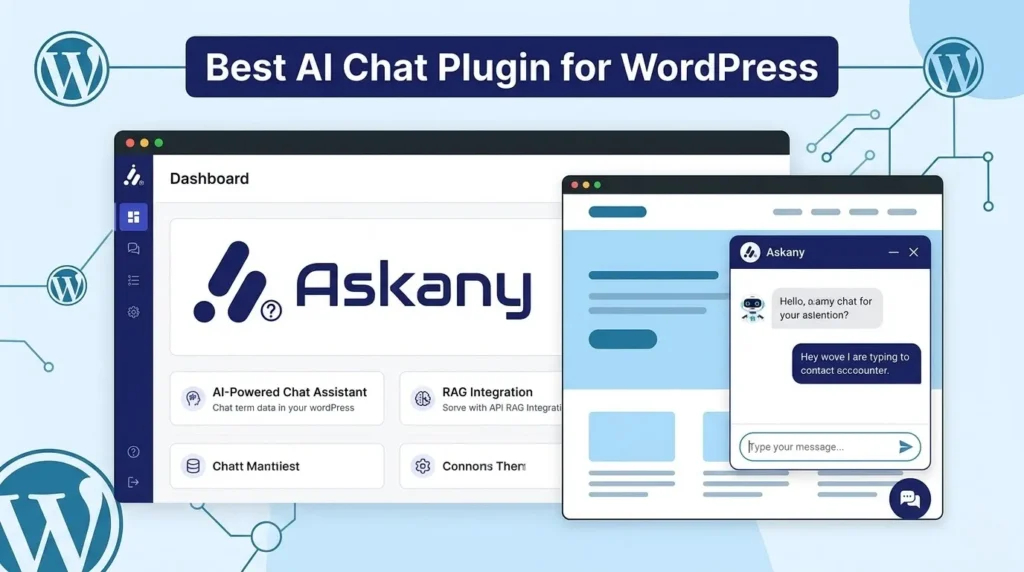
Running a WordPress site means juggling a lot – managing content, handling customer inquiries, tracking orders, and trying to deliver great support, all at the same time. It’s a lot. And if you’ve ever wished you could automate the repetitive stuff without making your site feel robotic, you’re not alone. That’s where the Best AI chat plugin for WordPress comes into play.
That’s exactly what AskAny was built for. It’s not just another chatbot plugin – it’s a full AI-powered customer engagement platform designed specifically for WordPress. Instead of generic, hit-or-miss responses, AskAny uses advanced RAG (Retrieval-Augmented Generation) architecture to actually understand your content and give accurate, helpful answers around the clock.
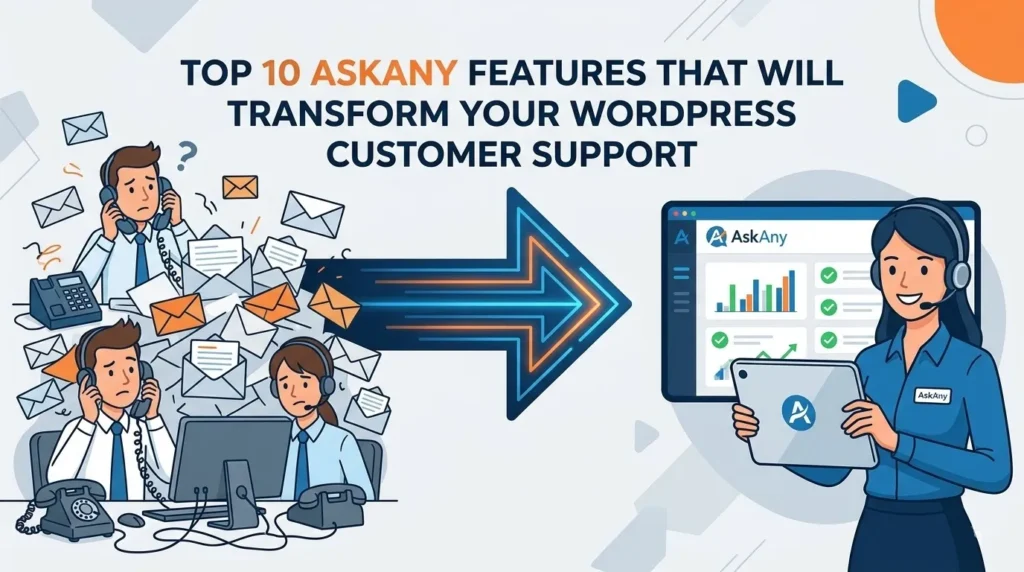
We dug deep into everything AskAny can do, and here are the 10 features, including the AskAny WordPress Features, that can genuinely change how you run customer support on your WordPress site.
The Best AI chat plugin for WordPress, AskAny, adds a new dimension to customer engagement with its innovative features.
Discover how the AskAny WordPress Features enhance your website.
With all the incredible AskAny WordPress Features, your customer support can be transformed in ways you never imagined.
Key AskAny WordPress Features
Feature #1: Multi-Provider AI Support 🤖
What It Is
AskAny doesn’t lock you into a single AI provider. You can choose from 6+ leading AI platforms:
- OpenAI (GPT-4, GPT-3.5) – Industry-leading performance for complex queries
- DeepSeek – Cost-effective with surprisingly powerful reasoning
- Google Gemini – Multimodal capabilities for rich content
- Anthropic Claude – Advanced reasoning with a focus on safety
- X.AI Grok – Real-time knowledge for time-sensitive answers
- OpenRouter – Access to 100+ models through a single API
The Problem It Solves
Most chatbot plugins force you to use one provider. If that provider goes down, raises prices, or just doesn’t fit your needs anymore, you’re stuck. You can’t compare costs or performance. You can’t optimize. You’re locked in.
Why It Matters
With AskAny, you stay in control. You can switch providers at any time without losing your data or conversation history. You can compare performance across models, use the best AI for each type of task, and completely avoid vendor lock-in. It’s flexibility that most other plugins simply don’t offer.
Real-World Use Case
Say you start with DeepSeek because it’s affordable. A few months later, you realize GPT-4 handles product recommendations noticeably better. With AskAny, you just switch. No data migration. No downtime. No drama.
Key Benefits
- ✅ Maximum flexibility – change providers whenever you need to
- ✅ Cost optimization by comparing providers side by side
- ✅ No vendor lock-in, ever
- ✅ Automatic failover if a provider goes down
- ✅ All your data stays intact when you switch
Quick Example
You handle 10,000 conversations a month. DeepSeek costs $50/month. GPT-4 costs $200/month. With AskAny, you can route simple questions to DeepSeek and complex ones to GPT-4 – cutting costs while actually improving quality where it counts.
Feature #2: RAG Architecture (Retrieval-Augmented Generation) 🧠
What It Is
RAG is the technology that makes AskAny genuinely intelligent. Instead of the AI making educated guesses from general knowledge, it retrieves information directly from your WordPress content and uses it to generate accurate, source-backed responses. Here’s how that process works:
- Semantic Search – Understands the meaning behind a question, not just keywords
- Content Retrieval – Finds the most relevant information from your site
- Context Injection -Feeds that content directly to the AI
- Accurate Response – The AI answers using your actual content, not assumptions
The Problem It Solves
Traditional chatbots hallucinate. A customer asks about your return policy, and the AI makes something up. Ask about a product feature, and it gives you wrong information. That frustrates customers and erodes trust fast.
RAG fixes this. The AI can only answer based on what’s actually on your site – no more invented answers.
Why It Matters
RAG is the difference between a chatbot that’s genuinely useful and one that just looks like it is. It means accurate, cited answers grounded in your real content, automatic updates whenever you publish something new, and customers who can actually trust what the chatbot tells them.
Real-World Use Case
You run a SaaS platform. A customer asks, “What’s included in the Pro plan?” Instead of guessing, RAG retrieves your actual pricing page and generates a precise answer with a link to learn more. The customer gets exactly what they need, instantly.
Key Benefits
- ✅ Accurate answers with source citations
- ✅ Zero hallucinations or made-up information
- ✅ Content updates are reflected automatically
- ✅ Builds real trust with your customers
- ✅ Dramatically reduces support load
Quick Example
Without RAG: “What’s your refund policy?” → AI guesses → Wrong answer → Frustrated customer
With RAG: “What’s your refund policy?” → Retrieves your actual policy → Accurate answer → Happy customer
Feature #3: Intelligent Content Indexing 📚
What It Is
AskAny automatically indexes everything on your WordPress site – no manual setup required. That includes:
- Posts & Pages
- WooCommerce Products
- Custom Post Types
- PDFs and Documents
- Comments and Q&A
- FAQs and Menus
- External URLs and APIs
The Problem It Solves
Setting up most chatbots means manually creating Q&A pairs or uploading documents one by one. It’s tedious, time-consuming, and becomes a maintenance nightmare every time you update your content.
AskAny eliminates all of that. Your WordPress content is automatically indexed and kept current without you lifting a finger.
Why It Matters
When you publish new content, the chatbot knows about it within minutes. There’s no manual syncing, no stale information, and no gap between what’s on your site and what the chatbot can answer. It handles large documents intelligently through smart chunking, so nothing gets lost.
Real-World Use Case
You run a support documentation site and publish a new troubleshooting guide. Within minutes, AskAny indexes it. The next customer who asks about that issue gets the exact solution from your new guide – no extra work on your end.
Key Benefits
- ✅ Fully automatic content indexing
- ✅ No manual setup or maintenance required
- ✅ Always stays current as you publish
- ✅ Covers your entire site – every content type
- ✅ Smart chunking handles large documents gracefully
Quick Example
You have 500 blog posts, 200 products, and 50 FAQs. That’s 750 pieces of content. AskAny indexes all of it automatically. You don’t have to do anything.
Feature #4: Server-Sent Events (SSE) for Real-Time Responses ⚡
What It Is
AskAny is the only WordPress chatbot using Server-Sent Events (SSE) for true real-time communication. Responses appear as they’re generated – like WhatsApp or Telegram – instead of arriving all at once after a noticeable delay.
The Problem It Solves
Traditional chatbots use “polling” – the browser repeatedly asks the server “Is there a response yet?” over and over. This creates lag, wastes server resources, and feels clunky. SSE flips the model: the server pushes responses to the user as they’re ready. No waiting. Much less overhead.
Why It Matters
Real-time communication makes a huge difference in how your chatbot feels. SSE reduces server load by up to 90% compared to polling, delivers instant responses, and creates the kind of natural, conversational experience users actually enjoy. And if SSE isn’t available in a given environment, AskAny automatically falls back to polling – no configuration needed.
Real-World Use Case
A customer asks a question at 2 AM. With SSE, they see the response appearing in under a second. That’s the difference between a chatbot that feels responsive and one that feels like it’s thinking too hard.
Key Benefits
- ✅ Instant, streaming response delivery
- ✅ Up to 90% less server load vs. polling
- ✅ Feels like a real conversation, not a web form
- ✅ Automatic fallback if SSE is unavailable
- ✅ Zero configuration required
Quick Example
Traditional chatbot: Question asked → 2–3 second delay → Full response appears → Feels slow
AskAny with SSE: Question asked → Response streams in immediately → Feels responsive and natural
Feature #5: Hybrid AI and Human Support 👥
What It Is
AskAny isn’t AI-only. When a customer needs help that the AI genuinely can’t handle, they’re seamlessly handed off to a human agent – who sees the entire conversation history and can pick up right where the AI left off.
The Problem It Solves
Some issues are too nuanced for AI. A customer might need to negotiate, make a special request, or deal with something sensitive. A pure AI chatbot can’t handle that well. A purely human support team is expensive and slow to scale. AskAny combines both – AI handles the routine stuff, humans handle the rest.
Why It Matters
You get 24/7 coverage without building a round-the-clock support team. AI handles roughly 60–70% of inquiries automatically. When something more complex comes in, a human agent is looped in with full context – no awkward “can you start over?” moments for the customer.
Real-World Use Case
A customer asks about a product. The AI answers. They follow up asking about a custom configuration -something the AI can’t fully address. The conversation is instantly handed to a human agent who has the full context already. The agent helps them, and the customer never notices the switch.
Key Benefits
- ✅ 24/7 coverage from AI, no burnout
- ✅ Human support steps in for complex or sensitive issues
- ✅ Seamless handoff with full conversation context
- ✅ Meaningfully reduced support costs
- ✅ Better customer experience overall
Quick Example
Routine question (70% of inquiries): AI handles → Instant response → Customer happy
Complex issue (30% of inquiries): AI recognizes the limit → Hands off to human → Agent has full context → Issue resolved
Feature #6: Fallback Mode – Never Leave Customers Hanging 🛡️
What It Is
Sometimes AI APIs go down. It happens. With most chatbots, that means your support just stops working. With AskAny, it doesn’t. Fallback mode uses smart pattern matching to keep handling common questions – greetings, product info, basic queries – even when the AI API is unavailable.
The Problem It Solves
Picture your chatbot going offline during peak traffic because of a third-party API outage. Customers hit an error message, can’t get help, and leave frustrated. That’s a serious problem for any business. Fallback mode makes sure that doesn’t happen.
Why It Matters
Your chatbot stays professional even when the AI is unavailable. Customers asking simple questions like “What are your hours?” or “How do I track my order?” still get answers. No error messages, no broken experience, no damage to your brand.
Real-World Use Case
OpenAI has a brief outage. Your AI API is temporarily down. Every other chatbot on the market shows an error. With AskAny, fallback mode kicks in automatically, and your customers don’t notice anything is wrong.
Key Benefits
- ✅ Effectively 100% uptime for your support chatbot
- ✅ Common questions still get answered during outages
- ✅ Maintains a professional experience at all times
- ✅ No “AI is unavailable” error messages
- ✅ Peace of mind for you and your team
Quick Example
Most chatbots during an outage: ❌ “Service unavailable”
AskAny during an outage: ✅ Fallback mode handles common questions without missing a beat
Feature #7: WooCommerce Integration with Order Tracking 🛒
What It Is
If you run an e-commerce store, AskAny connects directly with WooCommerce. Customers can handle all of this through the chat widget, without ever contacting your team:
- Check order status by email, order ID, or transaction ID
- Ask detailed product questions
- Get real-time shipping updates
- Receive personalized product recommendations
- Get accurate pricing information
The Problem It Solves
E-commerce support is repetitive by nature. “Where’s my order?” “What’s the price?” “Do you have this in blue?” These questions make up around 80% of support tickets. They’re easy to answer but painful to handle manually at scale. WooCommerce integration means your chatbot handles them automatically.
Why It Matters
Automating these routine inquiries frees your support team for the issues that actually need a human. At the same time, customers get faster answers, which means fewer abandoned carts and a better overall shopping experience.
Real-World Use Case
A customer gets a shipping confirmation email and wants to know where their package is. Instead of logging into your site or emailing support, they open the chat widget and ask “Where’s my order?” The chatbot shows them tracking info instantly. Problem solved in seconds.
Key Benefits
- ✅ Instant order tracking in the chat window
- ✅ Automated, context-aware product recommendations
- ✅ Real-time shipping updates without staff involvement
- ✅ Dramatically reduced support workload
- ✅ Higher customer satisfaction scores
Quick Example
Customer: “Where’s my order?”
Chatbot: “Your order #12345 shipped on March 8. Tracking link: [link]. Estimated arrival: March 10.”
Customer: Happy. Problem solved. No human needed.
Feature #8: Slack Integration for Team Notifications 📢
What It Is
AskAny can send real-time notifications directly to your Slack workspace. Your team sees customer messages, AI responses, and agent replies – all inside the Slack channels they’re already using.
The Problem It Solves
Your support happens in the chatbot. Your team lives in Slack. These two worlds don’t naturally talk to each other, which means important conversations get missed, response times drag, and issues fall through the cracks. Slack integration bridges that gap.
Why It Matters
When your team sees customer conversations in real time, they can respond faster, collaborate on tricky issues, and hold each other accountable. Everything stays in one place instead of scattered across multiple tools.
Real-World Use Case
A customer asks a complex question the AI can’t fully answer. AskAny fires a notification to your #support Slack channel. An agent sees it, jumps on it, and responds within minutes. The customer is impressed. No ticket system needed – just Slack.
Key Benefits
- ✅ Real-time notifications when customers need help
- ✅ Faster response times across the board
- ✅ Better team collaboration on complex issues
- ✅ Centralized communication in a tool your team already uses
- ✅ Clear accountability – everyone sees who’s handling what
Quick Example
Customer asks question → Notification fires to Slack → Agent sees it → Responds immediately → Customer helped within minutes
Feature #9: PDF Import and Knowledge Base Management 📄
What It Is
You can upload PDFs directly into AskAny. Product manuals, documentation, guides, policies – whatever you have in PDF format is automatically extracted, indexed, and made searchable through the chat interface.
The Problem It Solves
You might have excellent documentation in PDF form, but customers can’t easily search it. They’d have to download the file, open it, and manually dig through it – which most people won’t do. With AskAny, that documentation becomes instantly searchable through a simple chat question.
Why It Matters
Customers get precise answers pulled directly from your documentation, complete with a reference link to the relevant section. No more “check the manual” as a support response. Upload a new PDF and it’s available instantly – no additional setup required.
Real-World Use Case
You sell software with a 50-page user manual. A customer asks how to use a specific feature. Instead of pointing them to a PDF and wishing them luck, the chatbot finds the exact answer and links them directly to the relevant section.
Key Benefits
- ✅ Searchable documentation through conversational chat
- ✅ Automatic text extraction from any PDF
- ✅ Instantly available as soon as you upload
- ✅ Supports large, complex files
- ✅ Reduces support burden through effective self-service
Quick Example
Old way: “Here’s our 50-page manual. Good luck finding what you need.”
AskAny way: “Here’s the exact answer from page 23 of our manual. [Link to that section]”
Feature #10: Comprehensive Analytics and Performance Tracking 📊
What It Is
AskAny gives you a clear view into exactly how your chatbot is performing. The analytics dashboard tracks:
- Total API requests and associated costs
- Success and failure rates
- Average response times
- Token usage breakdown
- Most popular customer questions
- Agent response performance
- Conversion tracking
- Daily performance trends over time
The Problem It Solves
Most chatbots are a black box. You have no idea if they’re actually helping, what customers are asking most often, or whether they’re influencing sales. You’re guessing. AskAny gives you complete visibility so you can stop guessing and start optimizing.
Why It Matters
When you can see exactly what’s happening, you can make smarter decisions. You’ll know where customers are getting stuck, which questions come up most often, what your chatbot is costing you, and whether it’s actually driving ROI. That’s the kind of data that helps you improve continuously rather than just hoping things are working.
Real-World Use Case
You install AskAny and run it for a month. Analytics show that 65% of support inquiries are being handled automatically, saving roughly $5,000 in support costs. You also notice that customers who ask about free shipping convert to sales 40% of the time – a clear signal to optimize that part of your messaging.
Key Benefits
- ✅ Full visibility into chatbot performance
- ✅ Track and control AI costs in real time
- ✅ Identify your most common customer questions
- ✅ Measure actual ROI, not just guesses
- ✅ Data-driven improvements over time
Quick Example
Before analytics: “I think the chatbot is helping… probably.”
With AskAny analytics: “The chatbot handled 65% of inquiries this month, saving $5,000. Top question: ‘Do you offer free shipping?’ – 40% conversion rate.”
The Bottom Line: These Features Work Together
These 10 features aren’t just a list of nice-to-haves. They’re designed to work together as a system – and that’s what makes AskAny genuinely different from a basic chatbot plugin. Together, they turn your WordPress site from a static information source into a smart, responsive customer engagement platform that keeps working even when you’re not.
Here’s what that looks like in practice:
- ✅ 60–70% of support inquiries handled automatically
- ✅ True 24/7 customer support without a 24/7 team
- ✅ Meaningful reduction in support costs
- ✅ Higher customer satisfaction and faster resolutions
- ✅ More sales through intelligent product recommendations
- ✅ Complete visibility into performance and ROI
- ✅ A platform that scales as your business grows
And the best part? You can be up and running in under five minutes. Install the plugin, add your AI API key, and you’re live.
🚀 Ready to see what intelligent AI support can do for your WordPress site?
Upgrade your customer support experience with AskAny – the smart AI assistant built for WordPress.
✨ Get started in seconds:
🔹 Try the Free Version
https://wordpress.org/plugins/askany/
🔹 Unlock Premium Features
https://wpazleen.com/askany-pricing/
Let AI handle common questions, guide your visitors, and provide instant support – 24/7.










Leave a Comment
Your email address will not be published. Required fields are marked *