
Table of Contents
Searching for the best WordPress SEO plugin usually ends the same way: a dozen open tabs, three feature tables and no clear winner. The truth is that SEO in 2026 is no longer only about green lights in a meta box. Google still matters, but ChatGPT, Perplexity, Gemini and Claude now send real visitors too, and the plugin you pick should help you win in both places.
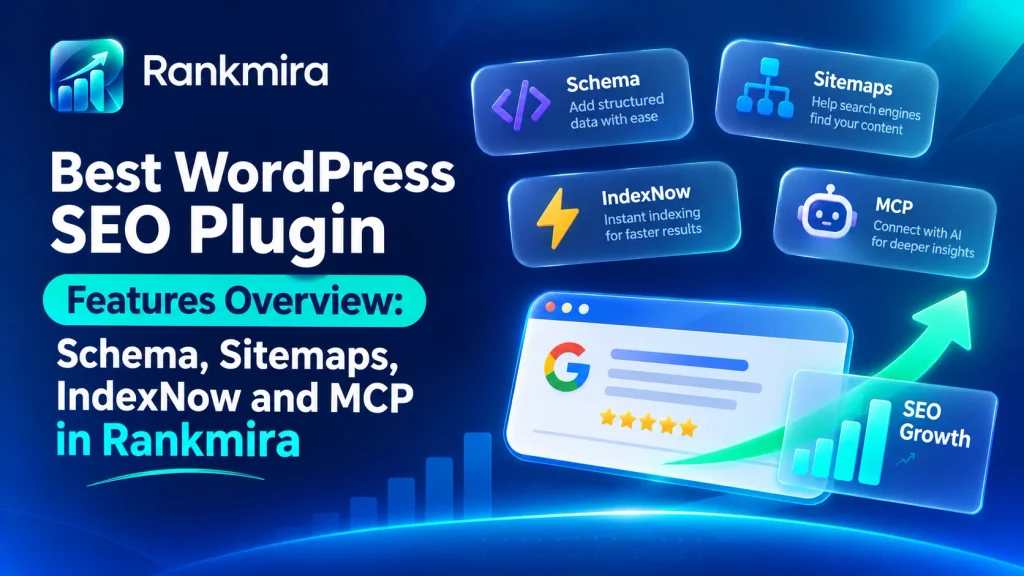
This guide explains what the best WordPress SEO plugin should actually do this year, then shows how Rankmira, a plugin from WPAzleen, handles each job: a live score with 41 checks, AI written titles and descriptions, schema in a few clicks, instant indexing and a built in MCP server for AI agents. You will also get a practical setup walkthrough, a buyer’s checklist, honest notes on who it suits and the current pricing.
In this guide:
- What makes the best WordPress SEO plugin
- Key features to look for
- How to set it up in 8 steps
- Who benefits most
- A practical buyer’s checklist
- Pricing
- FAQ
What Makes the Best WordPress SEO Plugin in 2026?
A good SEO plugin does four jobs. First, it tells you what is wrong with a page before you publish it. Second, it handles the technical layer for you: titles, meta descriptions, canonical tags, schema, sitemaps and redirects. Third, it helps search engines find new content quickly. Fourth, and this is the new one, it prepares your site for AI search, where assistants cite a handful of sources instead of listing ten blue links.
Most older plugins cover the first two jobs well. Fewer cover the last two. That gap is where the best WordPress SEO plugin of 2026 separates itself from the pack. Google’s own SEO starter guide still stresses clear titles, helpful content and crawlable pages, and a plugin should make those basics effortless instead of adding more setup work.
Here is a quick test you can apply to any candidate:
- Does it score content live, with checks you can actually fix?
- Does it write metadata without locking you into one AI vendor?
- Can it produce rich result schema without code?
- Does it notify search engines the moment you publish?
- Does it help AI assistants discover and cite your pages?
- Can you import your existing SEO data safely?
- Is there a free version, so you can test it on your own site first?
Rankmira was designed around exactly those seven questions. If you want a deeper primer on the basics first, read our WordPress SEO checklist. Otherwise, here is how the plugin answers each one.
Key Features of the Best WordPress SEO Plugin
Rankmira bundles on page SEO, technical SEO, AI writing help and AI search visibility into 15 modules, each with its own switch. These are the eight features that matter most.
1. Live SEO Scoring With 41 Checks
Open any post and the Rankmira SEO panel shows a score from 0 to 100 that updates as you type. Behind it sit 41 checks in four groups: Basic SEO, Additional, Title Readability and Content Readability. They cover the essentials, like your focus keyword in the title, meta description and first paragraph, plus the details people forget: keyword distribution, image alt text, internal and external links, a single H1, canonical URLs, reading ease and sentence variety.
Scores are colored green at 80 and above, amber from 50 to 79 and red below 50. The same rules run on the server when you save, so the number you see is the number that is stored, and an SEO Score column in your posts list lets you spot weak pages at a glance.
2. AI That Works With or Without an API Key
Rankmira connects to your own account at OpenAI, Anthropic, Google Gemini or OpenRouter, or to any compatible endpoint such as Ollama or Groq if you prefer local models. Rankmira never charges for AI, so you pay your provider directly and keep control of cost.
Ask for title and meta description options and each one arrives with a predicted score. Click Optimize to 90+ and the plugin works through up to 12 rounds, fixing the biggest failing check each time and keeping a change only if the score does not drop. Edits to your post body wait in a review dialog with a word by word diff, so nothing changes without your approval. No key yet? A built in heuristic engine gives simpler, template based suggestions, so every AI button still works.
3. Schema Markup in a Few Clicks
Rich results start with structured data. Rankmira prints one connected schema graph that includes your WebSite, Organization or Person, WebPage, breadcrumbs and the post type. In the editor you can pick from 24 types, including Article, BlogPosting, Product, Recipe, Event, FAQPage and HowTo, then fill the properties with AI and validate them before you publish.
Need something unusual? The Schema Builder maps any Schema.org type to custom fields from ACF, Pods or Meta Box, with a live preview and a shortcut to the Google Rich Results Test. For a full walkthrough, see our schema markup guide.
4. Instant Indexing and Smart XML Sitemaps
Publishing is only half the job. Rankmira serves /sitemap_index.xml with a separate sitemap for each post type and taxonomy, adds image entries and leaves noindexed content out automatically. Every time you publish or update a post, the URL is also sent in the background to IndexNow, which notifies Bing, Yandex, Seznam, Naver and Yep without waiting for the next crawl.
An Indexing Log records each submission with its response, so you can confirm it worked. Redirects are covered too: change the slug of a published post and Rankmira creates the 301 from the old URL for you, while a 404 log shows broken URLs you can turn into redirects with one click.
5. AI Search Visibility: llms.txt and Referral Tracking
Assistants such as ChatGPT, Perplexity, Gemini, Claude and Copilot now send real visitors. Rankmira generates /llms.txt, a compact list of your newest posts and pages for AI crawlers, plus a second file with the full text of the 50 newest. You can read more about the format at llmstxt.org.
It also logs which AI bots visit your pages and counts the visits each assistant sends. Tracking runs on your server, so no tracking script is added. If you run WooCommerce, it can credit orders to the assistant that referred the buyer; that attribution uses a first party cookie you can switch off if your consent policy requires it. Seeing this data is the first step toward becoming the source AI answers quote.
6. Rank Tracker, Search Console and Content Decay
Connect Google once and Rankmira tracks up to 50 keywords with daily snapshots, showing position, change, clicks and impressions. It highlights high potential queries sitting in positions 4 to 20 with a low click through rate, and flags pages that lost at least 15 percent of their clicks compared with the previous 90 days, with recovery steps for each.
Focus Pages lets you watch up to 20 key URLs with six signals apiece. Google powered features need a Search Console connection, but scoring, schema, sitemaps and redirects work without it.
7. An MCP Server So AI Agents Can Fix SEO Safely
The Model Context Protocol lets assistants such as Claude Code, Claude Desktop, Cursor, Cline, Codex and Windsurf work directly with your site. Rankmira ships an MCP server with 33 tools: audit posts, rewrite metadata, add alt text, manage redirects and more.
Control is the point. Every kind of change has its own switch, Force Draft mode keeps agents from publishing live, destructive actions need a preview plus a one time confirmation token, and every write saves a snapshot you can undo. It is the safest way we know to let an AI assistant touch a live site.
8. Switch From Yoast or Rank Math Without Starting Over
Nine importers move titles, descriptions, keywords, robots settings, social fields, schema types and redirects from Rank Math, Yoast SEO, All in One SEO, SEOPress, ThinkRank, Squirrly, Slim SEO, SureRank and Redirection. Your old plugin’s data is never changed, so you can switch back at any time.
Keep the old plugin active while you import, run Recalculate All SEO Scores, then deactivate it. Global title templates are not imported, so review those after switching.

How to Set Up the Best WordPress SEO Plugin in 8 Steps
You can be fully set up in about 15 minutes. Here is the exact order we recommend for a fresh site or a switch from another plugin.
- Install and activate. Get the free version from the WordPress plugin directory and activate it.
- Run the Setup Wizard. Open Rankmira, then Setup Wizard. It checks your server, offers imports and lets you choose modules. Afterwards, confirm your site name, logo and publisher type under Settings, Schema Manager.
- Import your old data. Open Tools and click the import button next to Rank Math, Yoast or whichever plugin you used. Wait for the Migration Complete message.
- Recalculate scores. Click Recalculate All SEO Scores so every post shows a score in the posts list.
- Connect Google (optional). Under Search Console and GA4, connect your account to unlock rankings, clicks, content decay and index status.
- Add an AI key (optional). Choose a provider, paste your key, click Test Connection and save. Skip this and the heuristic engine handles AI buttons.
- Run your first audit. The Site Audit runs 13 checks and offers one click fixes for common issues like search engine visibility and permalinks.
- Optimize a post. Open any post, add a focus keyword, edit the snippet and click Optimize to 90+. Review the changes, then update.
One small tip: breadcrumbs are not added to your theme automatically. Place them with the [[rankmira_breadcrumbs]] shortcode or the rankmira_breadcrumbs() function, and the matching schema is added for you.
A score is a guide, not a goal. Use it to find gaps, then write for the person reading.
Who Needs the Best WordPress SEO Plugin Most?
Almost every site benefits, but the value shows up differently depending on what you run:
- Bloggers and publishers: live scoring, AI snippets, a table of contents block and fast indexing help every new post start strong.
- WooCommerce stores: richer Product schema with price, stock, brand, reviews, shipping and returns, plus noindex rules for cart, checkout and account pages.
- Agencies: a bulk SEO editor, an AI review queue, backups and one click imports make client migrations predictable.
- Local businesses: LocalBusiness schema, opening hours, multiple locations and map shortcodes, all behind a module you turn on when needed.
- Headless sites: a public head endpoint and signed webhooks feed titles, meta and schema to Next.js, Astro and similar front ends.
If you manage several of these at once, the module switches keep things light: turn off what you do not use and its front end output and background work stop.
How to Choose the Best WordPress SEO Plugin: A Practical Checklist
Yoast SEO, Rank Math and All in One SEO are established names, and each deserves a fair look. Instead of trusting any single list, test two or three on a staging site against the questions below. Here is how Rankmira answers them.
| Question to ask | Why it matters | How Rankmira answers |
|---|---|---|
| Is the score actionable? | A number without fixes just causes stress. | 41 checks, many with a Fix with AI button. |
| Can I choose my AI provider? | Vendor lock in raises cost and risk. | OpenAI, Anthropic, Gemini, OpenRouter or a local model. |
| Is schema flexible? | Rich results need the right type. | 24 types in the editor plus a builder for any type. |
| How fast does Google and Bing learn about new posts? | Faster discovery means faster results. | IndexNow on publish plus a fresh XML sitemap. |
| Is it ready for AI search? | Assistants now send real traffic. | llms.txt, AI crawler logs and AI referral tracking. |
| Can I track rankings? | You need to know what is working. | Rank Tracker, content decay and Focus Pages. |
| Can AI agents help safely? | Automation needs guardrails. | MCP server with per action switches, Force Draft and undo. |
| Is switching painless? | Nobody wants to rebuild metadata by hand. | Nine importers that never alter the source data. |
A few expert tips before you commit:
- Run only one SEO plugin on the live site. While another is active, Rankmira holds back its head output, such as titles, meta and schema, to avoid duplicates.
- Do not chase a perfect 100. A score of 80 or more with a genuinely helpful page beats a keyword stuffed 100.
- WordPress background jobs run on site visits. On a quiet site, set up a real server cron so daily and weekly jobs run on time.
- If you use MCP, begin with Force Draft and Require Preview and Confirmation switched on, then relax the rules as you gain trust.
- Review Settings, Link Engine and Image SEO once. These small defaults add up across hundreds of posts.
Rankmira Pricing: Free to Start, Pro and Ultimate When You Grow
You can start free from the WordPress plugin directory and test everything on your own site. When you need more, the Rankmira pricing page offers two paid options: Pro, billed yearly, and Ultimate, a one time lifetime payment.
At the time of writing, an early bird offer runs from November 9 to November 22 with 75 percent off. On the 5 site plan that works out to $60.99 a year for Pro, about $12.20 per site, or $99.99 once for Ultimate. Pro highlights the editor checks, AI tools, Schema Builder, sitemaps, IndexNow, Rank Tracker and one click imports. Ultimate includes everything in Pro and highlights the MCP server, llms.txt, AI referral tracking, lifetime updates and priority support.
Every purchase is covered by a 14 day money back guarantee, and there are no setup fees. Check the pricing page for current prices and the exact feature split, since offers change.
Frequently Asked Questions About the Best WordPress SEO Plugin
What is the best WordPress SEO plugin in 2026?
The best WordPress SEO plugin is the one that covers on page scoring, technical SEO, fast indexing and AI search visibility without locking you into one AI vendor. Rankmira is built for that combination, and because there is a free version you can test it on your own site before deciding.
Is Rankmira really free to start?
Yes. You can install it from WordPress.org at no cost. Pro and Ultimate add more power for growing sites, and the pricing page shows exactly what each plan includes.
Do I need an AI key to use the AI features?
No. Without a key, a built in heuristic engine gives simpler, template based suggestions. Add a key from OpenAI, Anthropic, Gemini, OpenRouter or a local model for richer results.
Will I lose rankings if I switch from Yoast or Rank Math?
Importing copies your titles, descriptions, keywords, robots settings, schema types and redirects, and it never changes the original data. Still, spot check a few important posts and review your global title templates after switching.
Does Rankmira work with WooCommerce?
Yes. It adds richer Product schema, shipping and return details, sensible noindex rules and optional category base removal. AI revenue reporting also needs WooCommerce.
Is the MCP server safe for a live site?
It is designed to be. Each kind of change has its own switch, Force Draft keeps agents from publishing, destructive actions need a preview and token, and every write saves a snapshot you can undo.
Conclusion: Pick the SEO Plugin Built for Google and AI
The best WordPress SEO plugin in 2026 does more than color a dot green. It scores your content honestly, writes and fixes with the AI you choose, builds your schema and sitemaps, tells search engines the second you publish and makes your site easy for AI assistants to find and cite.
Rankmira brings all of that into one plugin, with a free version to try and a clear upgrade path. Install Rankmira free, run the Setup Wizard and watch your first score climb, or compare plans on the pricing page. Your next number one ranking starts with the right plugin.








Leave a Comment
Your email address will not be published. Required fields are marked *