

You open your WordPress dashboard one morning and notice something unusual. Your website has recorded dozens of failed login attempts overnight. The usernames are unfamiliar, the requests keep arriving, and you have no idea whether the next attempt will succeed.
For a website owner, this can be an unsettling discovery. Your login page is the front door to your website, and a weak password or poorly protected login process can put everything behind that door at risk.
WordPress login protection helps reduce this risk by combining safeguards such as login attempt limits, bot protection, access controls and stronger authentication. Activity Guard by WPAzleen brings login protection together with IP blocking, activity logging, security scanning and real time notifications.
In this guide, you will learn how login attacks work, which safeguards matter most, how to get started with Activity Guard, and how its approach compares with other WordPress security plugins.
Table of Contents
What Is WordPress Login Protection?
WordPress login protection refers to the safeguards used to prevent unauthorized users and automated bots from gaining access to website accounts. It focuses on the authentication process, where users prove their identity before entering the dashboard or another protected area.
A standard WordPress login form accepts a username or email address and a password. Without additional safeguards, automated tools can repeatedly submit different credential combinations and attempt to guess a valid login.
A login security strategy can make these attempts harder through several complementary controls:
- Login attempt limits: Restrict repeated failed authentication attempts.
- IP blocking: Deny access from selected addresses or networks when justified.
- CAPTCHA challenges: Help distinguish ordinary visitors from automated requests.
- Strong authentication: Use strong, unique passwords and multifactor authentication where supported.
- Activity monitoring: Record relevant events and help administrators investigate suspicious behavior.
No single safeguard is enough for every website. Effective login protection uses multiple layers and balances security with a smooth experience for legitimate users.
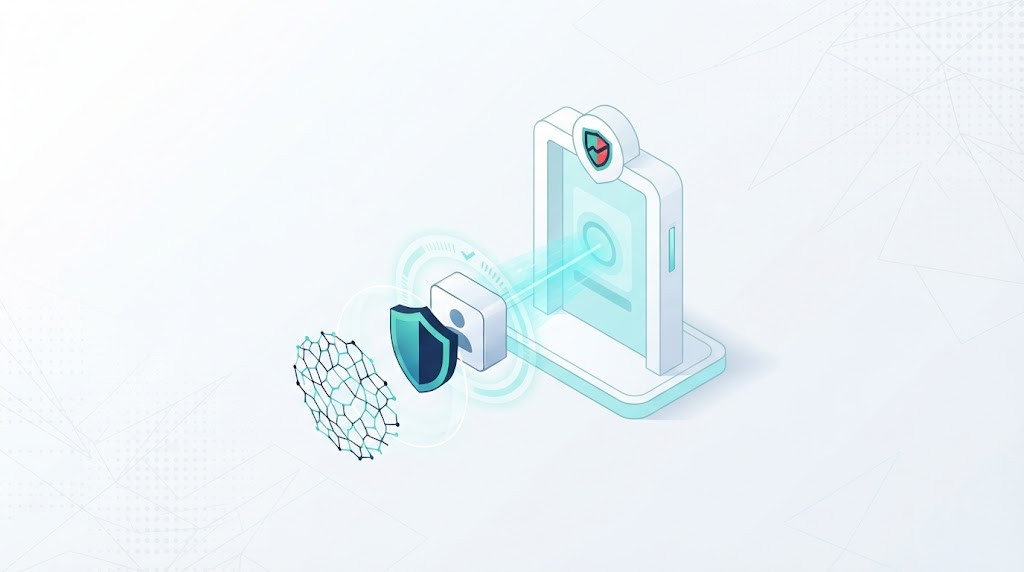
Common WordPress Login Threats
1. Brute Force Attacks
A brute force attack repeatedly tests username and password combinations until a valid combination is found or the attempts are stopped. Automated tools can perform these requests much faster than a person could.
Limiting repeated attempts makes this approach harder. Strong passwords also matter because an easily guessed password can undermine otherwise useful protections.
2. Credential Stuffing
Credential stuffing uses usernames and passwords exposed in other data breaches. Attackers try those credentials on additional websites, hoping that users have reused the same password.
Unique passwords and multifactor authentication help reduce the risk. Login rate limiting can also help, but distributed attacks may use many different IP addresses and avoid simple per address limits.
3. Automated Login Bots
Bots can repeatedly visit login forms, test common usernames, or send unwanted requests to authentication endpoints. Some activity may be harmless automation, so administrators should examine patterns before blocking traffic.
CAPTCHA and bot protection can help reduce automated abuse on supported forms. These controls should be tested to make sure they do not prevent legitimate visitors from logging in.
4. Password Reset Abuse
Password reset forms can be abused to generate repeated requests or annoy users with unnecessary reset messages. Login security should consider the recovery process as well as the login form itself.
Use sensible rate limits, protect email accounts, and avoid revealing unnecessary information about which accounts exist on your website.
Why WordPress Login Security Matters
A compromised administrator account can give an attacker access to important settings, content, installed plugins and other privileged features. Depending on the account permissions and website configuration, this can lead to malicious changes, data exposure or service disruption.
Login protection is especially important for online stores, membership websites, publishing teams and business websites where multiple people have access to the dashboard.
Consider a WooCommerce store that receives repeated login attempts against its administrator account. If an attacker succeeds, the incident may affect more than the website design. It could expose customer related information or allow unauthorized changes to products, settings and orders, depending on the compromised account’s permissions.
Preventing every attack is not realistic. The goal is to make unauthorized access more difficult, detect suspicious activity, and give administrators a clear process for responding.
How Activity Guard Helps Protect WordPress Logins
Activity Guard combines login related safeguards with broader website monitoring and security controls. This is useful when administrators want to respond to suspicious access as part of an overall WordPress security workflow.
Login Attempt Limits
Login rate limiting helps restrict repeated failed attempts according to the configured security policy. It can reduce the opportunity for an automated tool to test a large number of passwords against a login form.
Choose settings carefully. Overly strict limits can lock out legitimate users who mistype their passwords, particularly when multiple people share the same network. Test the configuration before relying on it for a busy production website.
IP Blocking and Whitelisting
When an address is associated with confirmed abusive behavior, IP blocking can help restrict further access. Activity Guard supports manual IP blocking, CIDR range blocking and conditional blocking rules.
IP controls are only one layer of protection. Attackers may change addresses or distribute requests across many connections. Shared networks can also contain legitimate visitors, so avoid blocking a wide range without a clear reason.
CAPTCHA and Bot Protection
CAPTCHA challenges can make automated abuse more difficult on supported forms. Activity Guard supports Cloudflare Turnstile and additional CAPTCHA options for supported integrations.
Bot protection complements login attempt limits by adding another check to the authentication process. It does not replace strong passwords or other account security measures, and its configuration should be tested for compatibility with your login forms.
Activity Logs and Real Time Notifications
When something unusual happens, knowing that an attempt occurred is only the beginning. Administrators also need enough context to investigate the event and decide what to do next.
Activity Guard combines activity logging with supported real time notifications through Slack, Telegram and email. This can help teams notice important website events without constantly keeping the WordPress dashboard open.
Security Scanning and Additional Protection
Login protection is stronger when supported by other security measures. Activity Guard also provides security scanning, file integrity monitoring and emergency lockdown capabilities, helping administrators investigate potential issues beyond the login form.
These features serve different purposes. A login alert is not proof of a successful compromise, and a clean scan does not guarantee that a website is free from every threat. Use the available evidence to guide your response.
How to Get Started With WordPress Login Protection
You can start with a few practical steps and strengthen your configuration as you learn how your website is used.
- Install Activity Guard. Visit the WordPress plugin directory listing and install the plugin on your website.
- Review the security settings. Open the Activity Guard dashboard and identify the available login protection, IP blocking and CAPTCHA options.
- Configure sensible limits. Set login attempt restrictions according to your website’s needs and the options available in your installed version.
- Enable supported bot protection. Configure CAPTCHA or Cloudflare Turnstile where supported and follow the provider’s setup requirements.
- Review suspicious activity. Use available logs and request information to investigate repeated failures before applying additional restrictions.
- Configure notifications. Connect a supported notification channel so relevant events can reach the people responsible for website security.
- Test account recovery. Confirm that legitimate users can still sign in and that you have a recovery process if a security rule blocks your access.
Exact setting names can vary by plugin version. Follow the instructions shown in your current installation and verify the results in a test environment where practical before applying restrictive rules to a critical website.

Activity Guard vs Other WordPress Login Security Plugins
WordPress security tools overlap in some areas but are not identical. Some focus on login protection, while others combine authentication safeguards with a firewall, malware scanning or broader website monitoring.
Wordfence
Wordfence Security includes login security features such as two factor authentication, login CAPTCHA and brute force protection. It also provides an endpoint firewall and malware scanning. Its Premium offering adds features including real time firewall rule and malware signature updates and a real time IP blocklist.
Limit Login Attempts Reloaded
Limit Login Attempts Reloaded focuses on login security and brute force prevention. Its feature set includes limiting failed login attempts and blocking suspicious login sources, with additional protection features available according to its current plans.
Activity Guard
Activity Guard combines login related protection with activity logging, IP controls, CAPTCHA options, security scanning, notifications and WooCommerce monitoring. This broader scope may be useful for site owners who want security controls and operational visibility within the same plugin.
| Capability | Activity Guard | Wordfence | Limit Login Attempts Reloaded |
|---|---|---|---|
| Login attempt protection | Supported | Supported | Core focus |
| IP blocking | Supported | Supported | Supported |
| CAPTCHA or bot protection | Supported options | Login CAPTCHA | Additional protection features vary by plan |
| Two factor authentication | Verify current integrations and settings | Supported | Check current plan features |
| Dedicated endpoint firewall | Not its primary positioning | Included | Review current plan and documentation |
| Malware and vulnerability scanning | Security scanning available | Dedicated scanner | Not its primary focus |
| Activity logging and notifications | Activity logging with Slack, Telegram and email alerts | Security event monitoring and alerting | Login related activity and notifications |
| WooCommerce monitoring | Supported | Not its primary focus | Not its primary focus |
This comparison describes product focus and documented feature categories, not identical protection or a universal ranking. Verify current plan details and test compatibility with your website before choosing a plugin. Wordfence is worth evaluating if you specifically need an integrated endpoint firewall and malware scanner. Limit Login Attempts Reloaded may suit sites looking for a more focused login protection tool. Activity Guard is worth considering when login protection is part of a wider need for activity monitoring, notifications and WooCommerce visibility.
Pricing and Value
When comparing WordPress login security plugins, look beyond the initial price. Consider the protection you need, the number of websites you manage, the support available and whether additional plugins would be required for monitoring or other security tasks.
Activity Guard offers a free version that combines activity logging with IP based security controls, scanning and other monitoring capabilities. This can be useful for website owners who want more than a login only solution. Review the WPAzleen pricing page for current plan information and any additional paid features.
Wordfence also offers a free security plugin, while its Premium plan is listed at $149 per year per site on its official product page. Limit Login Attempts Reloaded offers a focused login security solution with additional features depending on the plan selected. Prices and included features can change, so check each official product page before purchasing.
If you only need to limit repeated login attempts, a focused plugin may be sufficient. If you also need activity history, notifications, IP controls and WooCommerce monitoring, compare the combined value of those features before deciding whether to use several separate tools.
WordPress Login Security Best Practices
- Use unique passwords. Avoid reusing passwords across websites and use a password manager where practical.
- Enable multifactor authentication. Add another authentication factor for privileged accounts when supported by your chosen tools.
- Limit login attempts. Use a sensible policy that balances protection with legitimate user access.
- Keep software updated. Update WordPress core, plugins and themes, and remove software that you no longer use.
- Review user permissions. Give each account only the permissions required for its role.
- Protect password recovery. Secure the email accounts used for account recovery and monitor suspicious reset activity.
- Use CAPTCHA thoughtfully. Apply challenges where useful and test them with legitimate login flows.
- Monitor important events. Review unusual login activity and configure alerts that help your team respond promptly.
- Maintain tested backups. Keep backups in a protected location and verify that recovery works.
- Plan for lockouts. Maintain a safe recovery method before applying strict IP restrictions or login rules.
Frequently Asked Questions
What is the best way to protect a WordPress login page?
Use multiple layers, including strong unique passwords, multifactor authentication, login attempt limits, bot protection, timely updates and monitoring. The right combination depends on your website, users and available tools.
Can IP blocking stop all brute force attacks?
No. Attackers may switch addresses or distribute requests across many connections. IP blocking can restrict selected sources, but it works best alongside login rate limiting, strong authentication and other security measures.
Does CAPTCHA completely stop login bots?
No CAPTCHA system guarantees that every automated attempt will be blocked. It adds another barrier, but should be combined with other controls and tested to avoid disrupting legitimate users.
Is Activity Guard only a login security plugin?
No. Activity Guard combines login related protection with activity logging, IP blocking, security scanning, notifications and WooCommerce monitoring. Available functionality depends on the current plugin version and plan.
Final Thoughts
Your WordPress login page deserves more attention than simply choosing a password and moving on. Repeated login attempts, reused credentials and automated bots can create real risks, especially when privileged accounts are involved.
A thoughtful login security setup combines sensible attempt limits, stronger authentication, bot protection, activity monitoring and a recovery plan. Each layer has a different job, and together they make your website harder to compromise.
Activity Guard by WPAzleen brings login protection together with IP blocking, activity logs, security scanning, notifications and WooCommerce monitoring. If you want to manage these capabilities as part of a broader WordPress security workflow, explore Activity Guard.








Leave a Comment
Your email address will not be published. Required fields are marked *