

A customer finds the right product, adds it to their cart, and gets close to placing an order. Then they leave without buying. It happens in online stores every day, and without proper tracking, store owners may never understand how many potential sales are slipping away.
That is where WooCommerce abandoned cart analytics becomes useful. Instead of treating every incomplete purchase as a mystery, you can monitor cart activity, investigate patterns, and make better decisions about your store’s checkout experience. With Activity Guard by WPAzleen, WooCommerce store owners can bring abandoned cart analytics into their WordPress management workflow alongside activity logging and security monitoring.
In this guide, you will learn what abandoned cart analytics means, which signals to monitor, how to investigate lost sales opportunities, and how Activity Guard can help you understand your WooCommerce store more clearly.
Table of Contents
- What Is WooCommerce Cart Abandonment?
- Why Abandoned Cart Analytics Matters
- What Should You Track?
- Common Reasons Customers Abandon Carts
- How Activity Guard Helps WooCommerce Store Owners
- How to Get Started With Cart Monitoring
- Activity Guard vs Dedicated Cart Recovery Tools
- Best Practices for Reducing Cart Abandonment
- Frequently Asked Questions
What Is WooCommerce Cart Abandonment?

Cart abandonment occurs when a shopper adds one or more products to their shopping cart but leaves without completing the purchase. Depending on the checkout stage and the tracking system in use, an abandoned cart may contain product details, cart value, session information, or customer contact information that was entered before the shopper left.
For example, imagine that your store sells home accessories. A visitor adds a lamp and a table organizer to their cart, reviews the total, and leaves before paying. The products were selected, but the order was never completed. If your store records eligible cart activity, you may be able to investigate that incomplete purchase and look for opportunities to improve the buying experience.
It is important to distinguish between cart abandonment tracking and cart recovery. Tracking helps you understand incomplete shopping activity. Recovery involves actions such as sending reminder emails, restoring a customer’s cart, or offering a coupon. Some tools provide both, while others focus primarily on analytics or monitoring.
Why Abandoned Cart Analytics Matters
Your WooCommerce order list shows completed orders, but those orders do not tell the whole story. Analytics around incomplete carts can reveal problems that are easy to overlook when you only measure successful purchases.
Understand potential lost revenue
Cart value can help you estimate the value of incomplete purchase opportunities. If several high value carts remain unfinished, you may want to examine checkout usability, shipping costs, payment availability, or product information. Remember that abandoned cart value is potential revenue, not guaranteed income. Some shoppers were only comparing products or never intended to buy.
Identify recurring shopping patterns
Repeated incomplete carts involving similar products, categories, or checkout stages can point toward a pattern worth investigating. For example, if customers frequently leave after seeing shipping charges, displaying delivery costs earlier may help set clearer expectations.
Make decisions using evidence
Without tracking, store owners may respond to a sales dip by randomly changing prices, redesigning pages, or offering discounts. Cart analytics gives you another source of evidence to guide those decisions. You can investigate a possible issue, make one focused change, and compare results over time.
What Should You Track in WooCommerce?
Useful abandoned cart analytics depends on the data your chosen plugin actually collects. Consider these metrics when reviewing your store’s cart activity.
| Metric | What it tells you | How to use it |
|---|---|---|
| Abandoned cart count | How many eligible carts were left incomplete | Look for changes over time |
| Cart value | The potential value of items in incomplete carts | Prioritize investigation of high value opportunities |
| Products in abandoned carts | Which items appear in incomplete shopping sessions | Review product pages, pricing, stock, and shipping details |
| Cart recovery count | How many tracked carts later resulted in purchases, when supported | Evaluate whether recovery efforts are helping |
| Recovery rate | The share of eligible abandoned carts that are recovered under your tool’s definition | Compare performance consistently over time |
| Time before abandonment | How long an eligible cart remains inactive before being marked abandoned | Review tracking rules and follow up timing |
Not every plugin provides every metric. Check your tracking rules and reporting definitions before comparing numbers. In particular, confirm how your tool defines an abandoned cart, whether guest shoppers are included, and how it attributes a later purchase to a previously abandoned cart.
Common Reasons Customers Abandon Carts
Analytics can show you where to investigate, but the numbers alone do not always explain why someone left. Consider these common causes when examining incomplete purchases.
- Unexpected costs: Shipping charges, taxes, or extra fees appear late in checkout.
- Checkout friction: The process requires too many steps or unnecessary information.
- Limited payment options: A shopper cannot use their preferred payment method.
- Trust concerns: The customer is unsure about security, returns, delivery, or the store’s reputation.
- Technical problems: A checkout error, slow page, or payment failure interrupts the purchase.
- Casual browsing: Some visitors are comparing products, saving items for later, or simply not ready to buy.
Do not assume that every abandoned cart signals a broken checkout. Use the available evidence to prioritize investigation rather than treating every incomplete cart as a customer complaint.
How Activity Guard Helps WooCommerce Store Owners
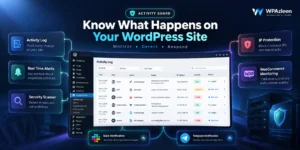
Activity Guard is a WordPress plugin from WPAzleen that combines activity logging, security features, notifications, and WooCommerce abandoned cart analytics in one management workflow. It can be useful for store owners who want to review cart related activity without building their entire monitoring process around a separate analytics product.
Monitor abandoned cart activity
Abandoned cart analytics gives store owners a way to investigate incomplete purchase opportunities. Instead of looking only at successful orders, you can review the cart activity supported by the plugin and identify where further investigation may be worthwhile.
Keep store management tools together
Cart analytics is only one part of running a WooCommerce store. Activity Guard also provides activity logging, an IP based security firewall, vulnerability scanning, and notification integrations. Bringing these capabilities together can reduce the need to manage every monitoring task through a separate plugin.
Stay informed through supported notifications
Activity Guard supports notifications through channels including Slack, Telegram, and email. Check the current plugin documentation and settings to confirm which events can trigger notifications in your installed version. Do not assume that every cart metric or abandoned cart event automatically sends an alert.
Explore Activity Guard: Get Activity Guard from WordPress.org or visit the official Activity Guard website for product details.
How to Get Started With Cart Monitoring
You do not need to redesign your entire store to begin investigating abandoned carts. Start with a clear and repeatable process.
- Install Activity Guard. Find the plugin in the WordPress plugin directory, install it, and activate it on your site.
- Review the available WooCommerce features. Open the plugin settings and documentation to understand the cart analytics and monitoring options supported by your installed version.
- Check tracking coverage. Review which carts and shoppers are eligible to be recorded. Guest checkout, email capture, consent requirements, and tracking rules can affect what data is available.
- Establish a baseline. Review the available cart information over a representative period. Avoid making decisions based on one unusual day.
- Investigate recurring patterns. Look for repeated issues involving product availability, unexpected costs, checkout errors, or payment options.
- Make one focused improvement. Change a specific part of the shopping experience and monitor whether the relevant metrics improve.
For installation instructions and the latest feature information, visit the Activity Guard plugin page. The exact navigation and settings may vary by plugin version, so follow the current interface rather than relying on outdated screenshots.

Activity Guard vs Dedicated Cart Recovery Tools
Not every WooCommerce store needs the same abandoned cart workflow. Some store owners primarily want analytics and monitoring. Others need automated reminder campaigns, coupon generation, or multi channel recovery sequences. Choose a tool based on the job you need it to do.
| Capability | Activity Guard | Dedicated cart recovery tools |
|---|---|---|
| WooCommerce abandoned cart analytics | Included among its advertised features | Depends on the product |
| WordPress activity logging | Included | Usually outside the primary focus |
| Security monitoring features | Includes IP based firewall and vulnerability scanning | Usually outside the primary focus |
| Automated recovery email sequences | Verify the exact capability in the current version | Available in dedicated tools that advertise recovery campaigns |
| Recovery coupons and restored cart links | Verify current feature support | Available in some dedicated recovery tools |
| Best fit | Store owners wanting cart analytics alongside activity and security monitoring | Stores prioritizing automated cart recovery campaigns |
For example, CartFlows Cart Abandonment Recovery Pro advertises scheduled follow up emails, recovery reporting, and product reports. The WooCommerce Abandoned Cart Recovery documentation also describes features such as guest email capture and recovery settings. These are useful comparisons when deciding whether you need analytics, automated recovery, or both.
Pricing and included features can change. Check each provider’s current plan before purchasing. Activity Guard is listed as a free plugin on WordPress.org, making it worth evaluating if you want its combination of activity logging, security tools, and WooCommerce cart analytics without starting with a dedicated paid recovery subscription.
Best Practices for Reducing Cart Abandonment
- Show costs clearly. Display shipping fees, taxes, and important charges as early as practical.
- Simplify checkout. Remove unnecessary fields and steps while retaining information required to fulfill an order.
- Offer suitable payment methods. Make sure your checkout supports the payment options your customers expect.
- Test on mobile devices. Review product pages, cart interactions, and checkout on smaller screens.
- Check stock and delivery information. Keep availability, delivery estimates, and return policies easy to find.
- Use recovery messages responsibly. Contact shoppers only when you have a lawful basis and appropriate permission. Include clear sender information and honor unsubscribe requests where required.
- Measure recovered orders accurately. Define what counts as a recovered cart and avoid counting the same purchase more than once.
- Protect customer data. Collect only what you need, limit access, and review your privacy notices, cookie practices, and applicable legal obligations.
WooCommerce uses cookies for cart and session functionality. Additional tracking and email capture may involve other data, so review the behavior of your chosen plugins and explain relevant data collection to customers. See the official WooCommerce cookies documentation for background on WooCommerce cookies.
Frequently Asked Questions
What is WooCommerce abandoned cart analytics?
WooCommerce abandoned cart analytics is the process of reviewing incomplete shopping carts and related information to understand potential lost sales opportunities. Depending on the tool, it may include cart counts, cart value, products, and recovery performance.
Does WooCommerce track every abandoned cart by default?
Do not assume that every visitor’s incomplete cart will be available in a complete abandoned cart report. The information you can track depends on WooCommerce behavior, customer sessions, checkout activity, and the additional plugin or analytics solution you use.
Can Activity Guard help monitor abandoned carts?
Yes. Activity Guard advertises WooCommerce abandoned cart analytics alongside activity logging and security features. Review the current plugin page and documentation for details about the metrics and controls available in your installed version.
Is abandoned cart analytics the same as cart recovery?
No. Analytics helps you understand incomplete purchases. Cart recovery uses follow up actions, such as reminder emails or restored cart links, to encourage customers to complete a purchase. A tool may provide one or both capabilities.
Which abandoned cart metrics matter most?
Start with abandoned cart count, potential cart value, the products involved, and recovered orders if your tracking tool supports them. Use consistent definitions and compare results over time rather than relying on one isolated number.
Is Activity Guard free?
Activity Guard is listed as a free plugin on WordPress.org. Review the current listing and product documentation for the latest details about included features and compatibility.
Turn Incomplete Carts Into Better Decisions
Every incomplete cart is not a guaranteed sale, but patterns in abandoned cart activity can help you understand where your WooCommerce store may be losing customers. When you combine useful analytics with a simpler checkout, clear pricing, reliable payments, and responsible follow up, you can make better informed decisions about improving the customer experience.
Ready to bring WooCommerce cart analytics into your store management workflow? Explore Activity Guard by WPAzleen and review its activity logging, security monitoring, and abandoned cart analytics features.
Activity Guard by WPAzleen: Innovation in Code.









Leave a Comment
Your email address will not be published. Required fields are marked *