
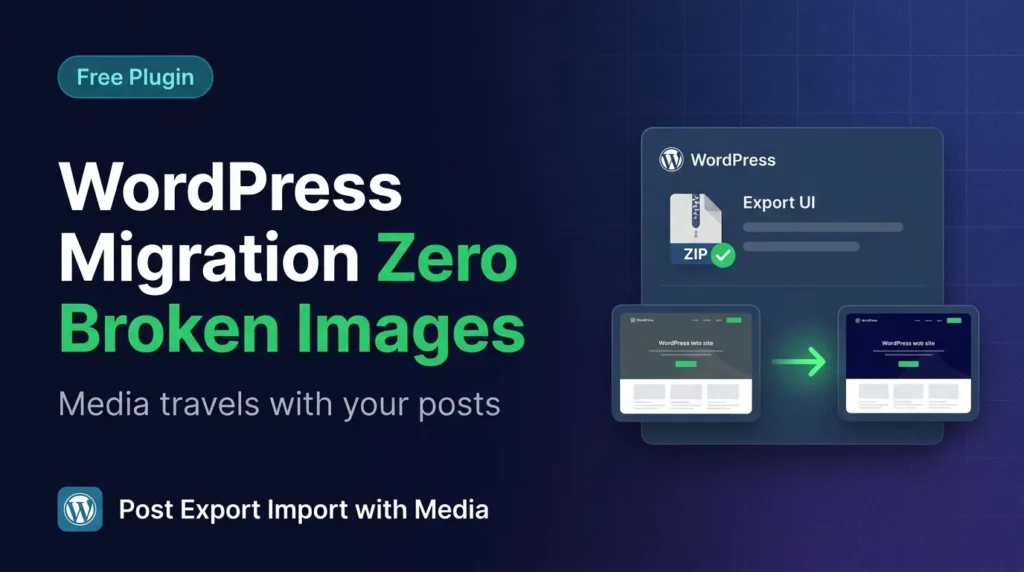
Have you ever migrated a WordPress site only to arrive at your new host and find dozens of broken images staring back at you? If you’ve tried the default WordPress exporter – or any standard WordPress export import plugin – you already know the pain. XML files don’t carry your media. Your posts land without their featured images, gallery photos, or document attachments. You’re left manually re-uploading files and fixing links for hours. There is a better way, and in this guide we’re going to show you exactly why Post Export Import with Media is the last WordPress migration plugin you’ll ever need – and how it compares to every major alternative on the market.
What Is a WordPress Export Import Plugin – and Why Does It Matter?
A WordPress export import plugin lets you package your site’s content – posts, pages, media, settings, users, themes, and plugins – into a portable file you can move to any other WordPress installation. Done right, migration should be invisible: the destination site should look and behave exactly like the source. Done poorly, it creates hours of cleanup work, broken media, lost metadata, and frustrated clients.
WordPress ships with a built-in export tool. It generates an XML file (called a WXR file) containing your posts, pages, and basic metadata. The problem? It exports no media files whatsoever. Images are stored as URLs pointing to your old domain. When you import that XML file on a new site, WordPress can attempt to download those images – but only if the old site is still live and publicly accessible. For staging environments, localhost setups, or decommissioned sites, those images are simply gone.
That’s the gap that specialized WordPress migration and export plugins are designed to fill. But not all of them fill it equally well. Let’s compare the field.
How Post Export Import with Media Compares to the Competition
We evaluated four of the most commonly used alternatives: the native WordPress Exporter, Duplicator (free tier), All-in-One WP Migration, and WP Migrate. Here’s an honest look at where each one stands – and where our WordPress export import plugin pulls ahead.
Native WordPress Exporter
Built into every WordPress installation, the native exporter is free and simple to access. However, it exports only XML content – no media files, no theme settings, no plugin configurations, and no users (with passwords). It has no batch processing, no progress tracking, and no selective export. For anything beyond a simple blog post backup, it falls short immediately. It also has no support for Custom Post Types beyond the basics, and zero ACF field handling.
Duplicator (Free Tier)
Duplicator is a popular migration tool that creates a full site package including the database and files. The free version is powerful for full-site cloning but is not designed for selective content migration. You can’t export just 50 posts with their images and import them into an existing site – it’s an all-or-nothing operation. The free tier also has a 500MB package size limit, which is a serious constraint for media-heavy sites. There’s no scheduled export, no WPML support, and no real-time progress bar for granular import steps.
All-in-One WP Migration
All-in-One WP Migration is one of the most installed migration plugins in the WordPress repository. Its biggest weakness is price – the free version has a strict 512MB upload limit, and unlocking larger imports requires purchasing extensions that can cost $69–$199 per site. It’s a full-site migration tool, not a content migration tool, so selective export of specific posts, CPTs, or users isn’t supported. There’s no ACF field export, no user-password migration, and no batch processing settings you can tune to your server’s capabilities.
WP Migrate
WP Migrate (formerly WP Migrate DB) focuses on database migration and is beloved by developers doing database syncs between environments. However, it requires both sites to have the plugin installed and connected – it’s a push/pull model, not a ZIP-based portability model. The free version doesn’t migrate media files at all. The pro version starts at $99/year. For bloggers, small agencies, or anyone who needs to hand off a content package to a client who may not have technical access, this model doesn’t fit.
Post Export Import with Media – The Complete Picture
Our WordPress export import plugin was designed from the ground up to solve all of these gaps in one free package. It handles content-level migration – posts, pages, CPTs, users, media, settings, widgets, menus, themes, and plugins – with media files bundled directly into the ZIP export. No external connections required. No size-locked paywalls. No technical setup on the receiving site. Just upload the ZIP and import.
7 Powerful Reasons This WordPress Export Import Plugin Beats Every Alternative
1. True Media Bundling – Every Image, Every Time
Unlike XML-based exporters that only store image URLs, Post Export Import with Media physically packages your media files into the export ZIP. Featured images, gallery images, inline content images, file attachments – all included. The class-media-handler.php in the plugin supports 30+ file types including JPG, PNG, WebP, SVG, PDF, MP4, and ZIP archives up to 500MB per file. During import, the plugin’s smart deduplication checks if a file already exists in the media library before downloading, so you never end up with duplicate attachments cluttering your library.
2. Selective Export and Import – Take Only What You Need
Most migration plugins are binary – export everything or export nothing. Our plugin lets you cherry-pick. From the selective export panel, you can tick individual posts or pages before exporting. You can also filter by date range using the “Export by Date Range” feature (added in v1.10.0), choosing a From and To date and clicking Apply Filter to load only matching posts into the panel. On the import side, you preview the contents of a ZIP file before committing, choose which items to bring in, and set the import status – Public, Private, or Draft – on the fly. No other free WordPress export import plugin offers this level of granular control.
3. Full CPT and ACF Support – No Custom Data Left Behind
If your site uses Custom Post Types and Advanced Custom Fields, standard exporters leave you stranded. The class-cpt-acf-exporter.php in our plugin handles the full ACF field group export, field values, custom taxonomies, and associated media. You can export all CPTs at once or select specific types. On import, ACF field values are mapped correctly to their new post IDs, taxonomies are reconstructed, and media links are updated. This is mission-critical for membership sites, real estate listings, job boards, and any application-style WordPress installation – and it’s included in the free version.
4. Full Users Export and Import with Password Preservation
Moving a site with a subscriber base or WooCommerce customer list is a nightmare with most tools. Our class-user-handler.php exports complete user records including hashed passwords (so users can log in immediately without a reset), user meta, capabilities, plugin-defined roles, and WooCommerce billing and shipping data. Author mapping on import is done by username or email – not by numeric ID – so post authorship survives the migration correctly even when user IDs differ between sites. You can also auto-create missing users, set a default password for all imported users, or send a welcome email with credentials.
5. Batch Processing with Server-Tunable Settings
Large sites have large export files, and large export operations time out on shared hosting. The class-batch-processor.php divides exports and imports into configurable batches – you set the post batch size, page batch size, media batch size, concurrent request count, ZIP size limit, and batch delay independently. A server preset mode offers recommended settings based on your content volume. This means a site with 10,000 posts and 20GB of media can be exported reliably on even a budget shared hosting plan – something no comparable free WordPress export import plugin offers with this level of control.
6. Scheduled Automated Exports with Email Notifications
Backups only protect you if they run automatically. The class-scheduled-exports.php registers a custom WordPress cron schedule (daily, weekly, or monthly) that exports your chosen content types – posts, pages, media, settings – without any manual action. Backup rotation automatically deletes old exports when your count exceeds a configured limit. Email notifications fire on completion, and the backup management panel gives you one-click download and delete options for all stored backups. For agencies managing client sites, this automated backup capability alone justifies installing the plugin.
7. Themes, Plugins, Widgets, Menus, and Settings – Everything in One Plugin
Most export tools handle one content type. Our plugin handles everything. The class-themes-plugins-handler.php exports individual themes or all themes as ZIPs, with proper directory structure for re-upload. The class-widgets-menus-handler.php serializes widget positions, sidebar assignments, navigation menu structures, and menu item hierarchies. The settings handler covers all seven core WordPress settings groups (General, Writing, Reading, Discussion, Media, Permalinks, Privacy) plus site icon. Rather than installing four separate plugins and hoping they work together, you get one clean, well-documented codebase following WordPress coding standards that handles your entire migration workflow.
Real-World Use Cases Where This Plugin Shines
Understanding the feature set is one thing. Seeing how it applies to real scenarios is another. Here are the situations where our WordPress export import plugin consistently outperforms the competition:
- Agency site handoffs: Export the complete production site – content, theme, plugins, users, settings – and deliver a single ZIP the client can import on their own hosting.
- Staging to production: Push only the new content created during a staging period using date-range filtering, without overwriting existing production content.
- WooCommerce store migrations: Move product CPTs with ACF meta, customer user accounts with billing data, and all product images in a single operation.
- Routine automated backups: Schedule daily exports of posts and media, retain the last 5 backups automatically, and receive email confirmation without touching the dashboard.
- Multilingual site migrations: Export WPML and Polylang language data alongside content so translated posts land in the correct language on the destination site.
How to Get Started in Under 5 Minutes
Installing and running your first export with this WordPress export import plugin takes less time than you think:
- Search for “Post Export Import with Media” in your WordPress plugins screen and click Install, then Activate.
- Navigate to the plugin’s dashboard in your admin sidebar.
- Choose your export type – Posts, Pages, CPT, Users, Media, Settings, Widgets/Menus, or Themes/Plugins.
- Select Regular mode for a single ZIP or Batch mode for large sites, configure your batch size if needed, and click Export.
- Watch the real-time progress bar as your content packages. Download the ZIP when complete.
- On the destination site, install the plugin, go to the Import tab, upload your ZIP, preview the contents, and click Import.
That’s the entire workflow. No command-line access. No FTP. No database credentials. Anyone can do it – and the plugin’s WordPress.org page has full documentation and screenshots for every step.
If you’re specifically migrating WooCommerce data or need to set up scheduled backups, check out our complete guide to scheduled exports and backup automation for step-by-step instructions on configuring cron-based backups.
Frequently Asked Questions
Does this WordPress export import plugin support large sites?
Yes. The built-in batch processing system lets you configure post, page, and media batch sizes independently. You can also set concurrent request limits and batch delays to avoid overwhelming shared hosting servers. Large sites with thousands of posts and gigabytes of media export reliably using batch mode.
Will it overwrite my existing content on import?
By default, no. The importer skips posts that already exist on the destination site. You can also set a default import status (Draft, Private, or Published) before importing, giving you full control over what goes live immediately.
Does it work with WPML and Polylang?
Yes. Both WPML and Polylang language support were added in version 1.9.0. Language metadata is exported with each post or page and correctly assigned on import, preserving multilingual site structure.
Is the plugin free?
The core plugin is completely free and available on WordPress.org. Core features including media-bundled exports, batch processing, user migration, and all content types are available at no cost.
What happens to failed items during a large import?
Any item that fails or times out during import is listed in a retry panel after the operation completes. You can retry failed items individually with a single click, without re-running the entire import. The page scrolls automatically to the progress section and provides timestamped logs for every item.
Conclusion
If you’ve been tolerating broken images, incomplete migrations, or expensive plugin subscriptions, it’s time to switch. Post Export Import with Media is the most complete free WordPress export import plugin available today – with true media bundling, full CPT/ACF support, user migration with password preservation, server-tunable batch processing, automated scheduled exports, and complete coverage of themes, plugins, widgets, menus, and settings. No other plugin in its category matches this feature set without a paid upgrade. Install it free from WordPress.org and run your first clean, media-complete export in under five minutes. See the full how-to walkthrough in our complete plugin usage guide.









Leave a Comment
Your email address will not be published. Required fields are marked *